You were busy all day.
Why does it feel like you got nothing done?
todovo is a daily planner built around two ideas: switching between tasks should be fast, and everything a task needs should be one click away. Plan the morning, work through My Day, close the day with your wins.
Free for 30 days · No credit card · Then €4 / $4 a month billed yearly, or €6 / $6 monthly
Web, iPhone and iPad. One account, in sync.
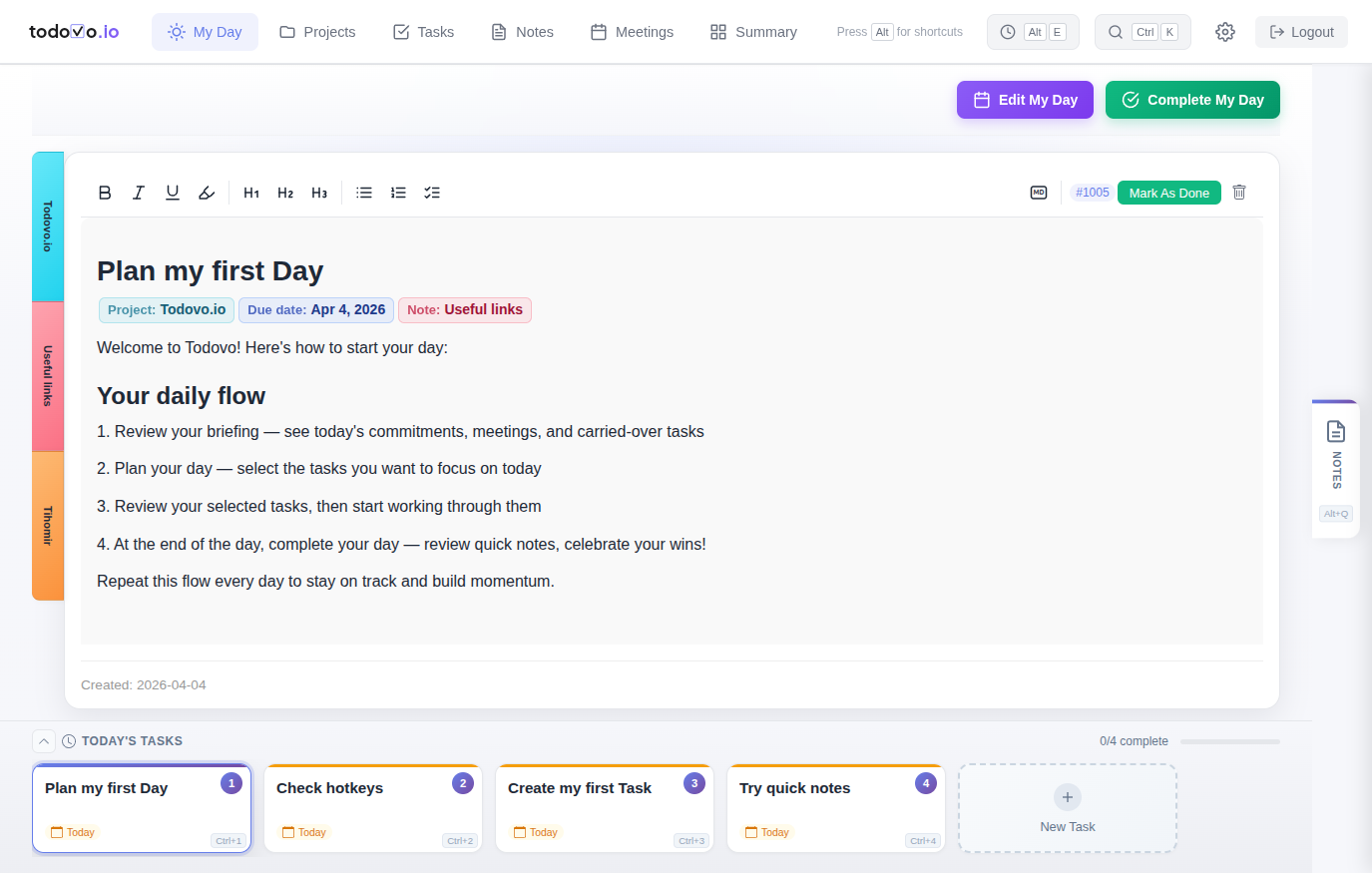
Does this sound like your day?
These are the daily struggles that drain your energy — and none of them are your fault.
Your morning plan is destroyed by noon
You had good intentions. Then someone pinged you. Then a meeting got added. By lunch, you have 14 browser tabs open and no idea what you were doing.
Switching between tools breaks your flow
Your tasks are in one app, notes in another, calendar in a third. Every switch costs you focus and your train of thought. Context is everywhere — and nowhere.
You get pulled off a task ten times a day
A ping, a meeting, a question at your desk. Everyone says focus on one thing at a time; in the real world that's hard. Every time you come back, you have to remember where you were.
You end the day wondering what you actually did
You were busy all day, but there's no sense of accomplishment. No clear record of progress. Just the feeling that tomorrow will be the same.
This isn't a discipline problem. It's a system problem.
And the system can change.
Built for the day you actually have
Everything in My Day is designed to keep your tasks within reach.
Switch tasks without losing your place
Click a task, or press Ctrl+its number. Each task is a living document: add notes, write down your progress, and everything saves as you type. When you switch away and come back, your cursor is exactly where you left it. You just keep typing.
See it in the tour →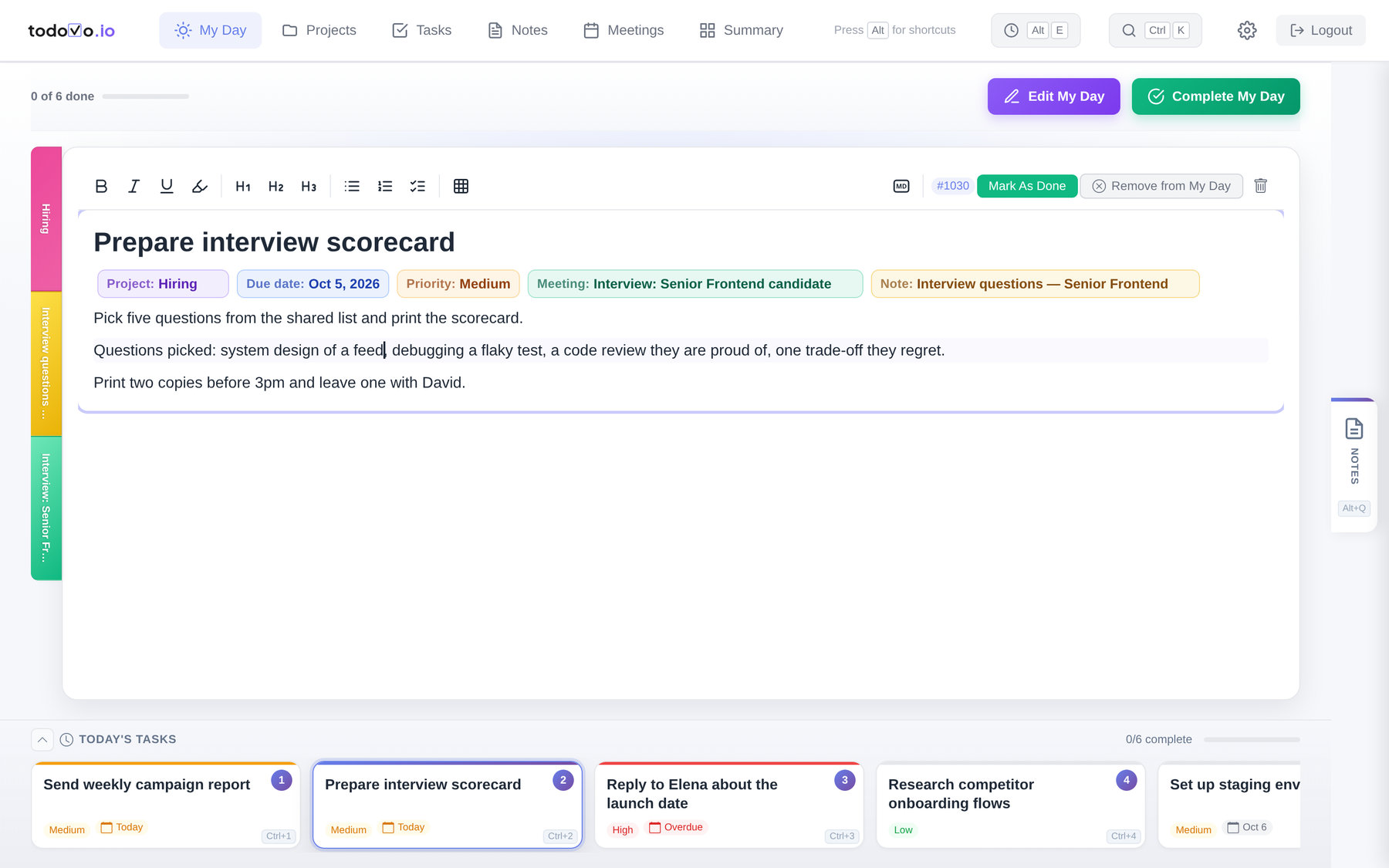
Everything a task needs, one click away
While you work, everything related to the task sits on the left: the project with its other tasks, notes and meetings; the people mentioned, with the meetings you have with them.
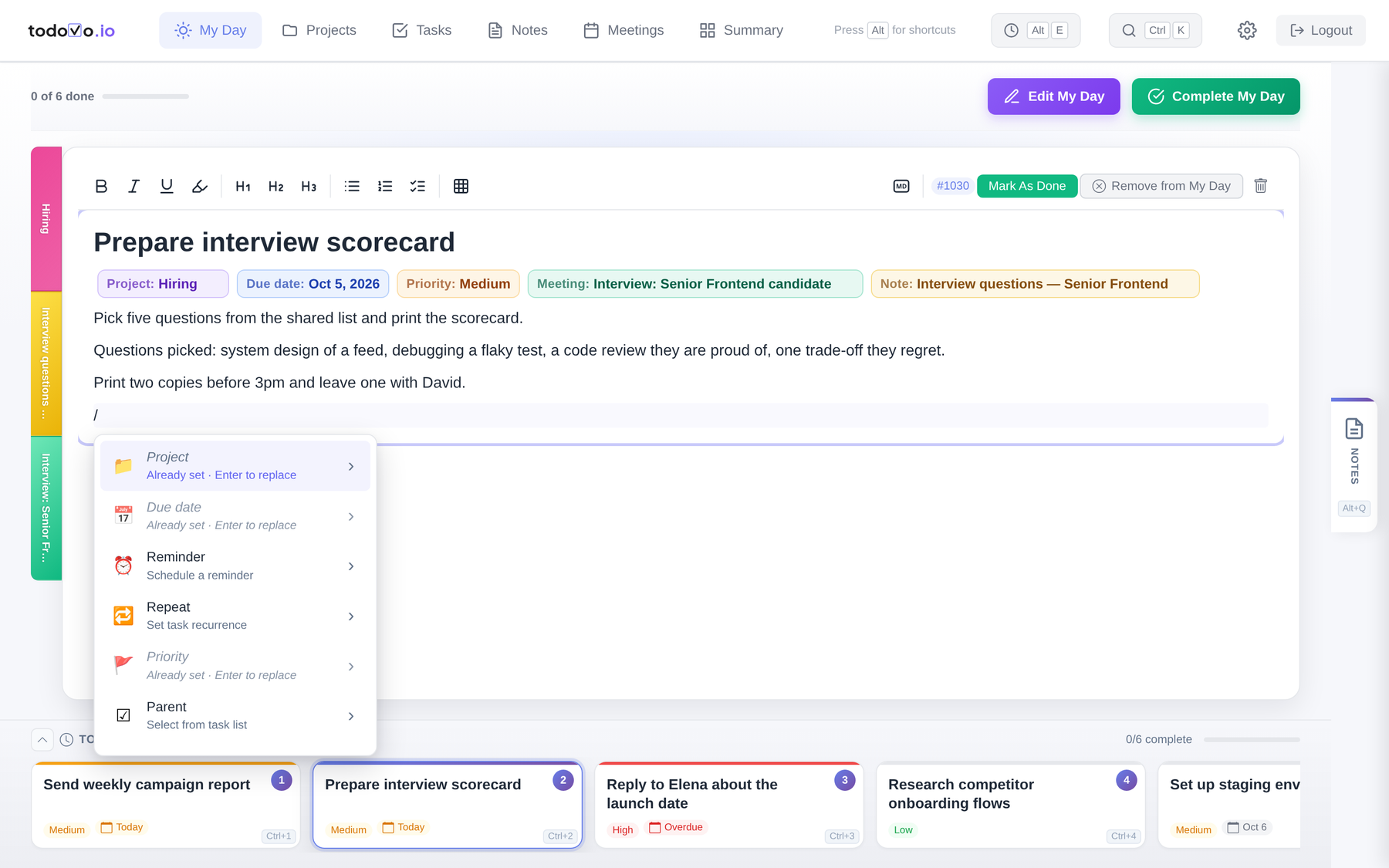
Type / to assign a project, add subtasks, set a due date, a reminder or a priority, or create a project or note on the spot. Mention anyone: clients, your manager, family, whether or not they use todovo.
See it in the tour →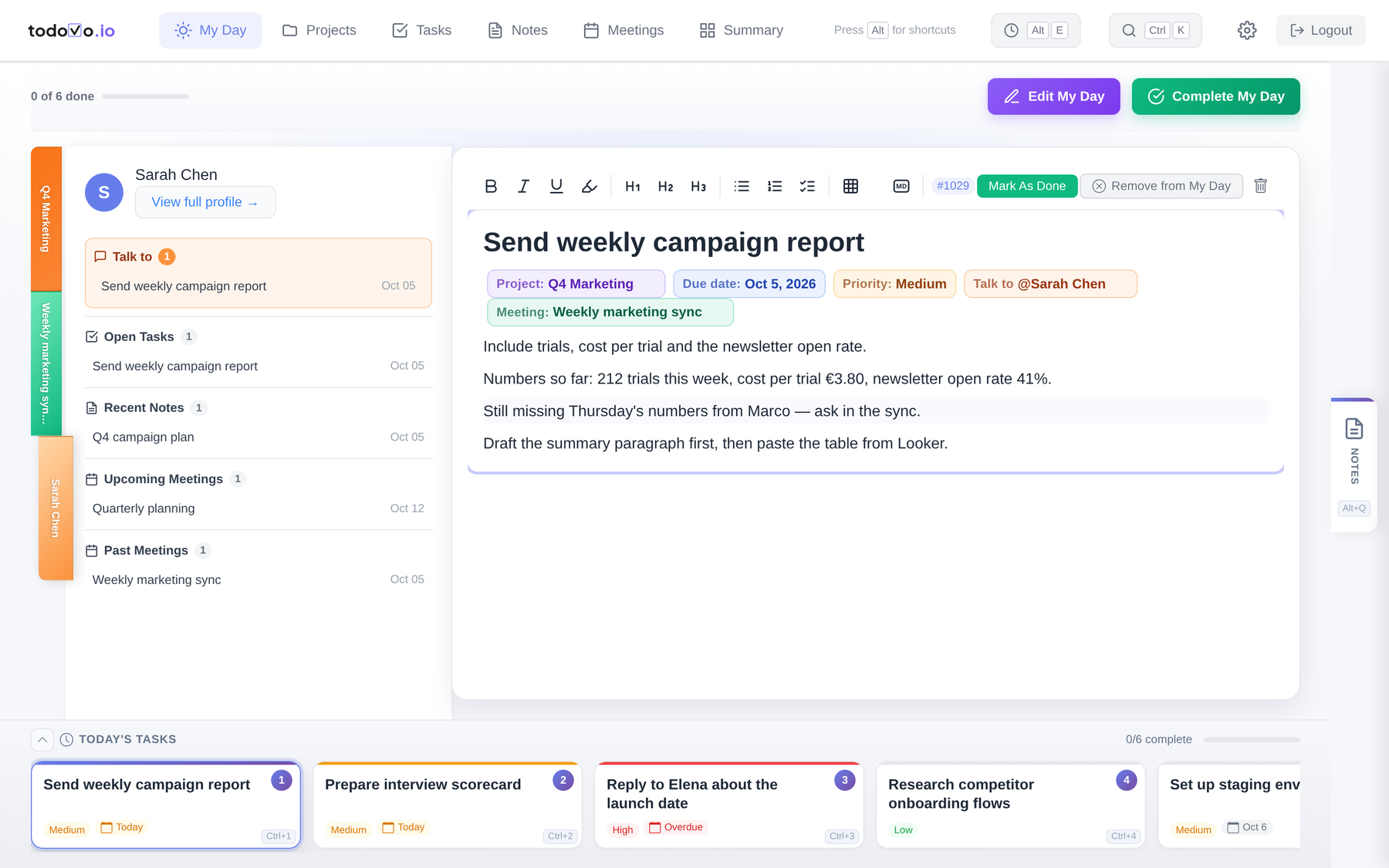
Interruptions get a key, not a sticky note
A colleague stops by and tells you something. Open Quick Notes (Alt+Q on a desktop), type it, and get back to work. At the end of the day you review every quick note: turn it into a task or a note, add it to an existing one, or let it go.
See it in the tour →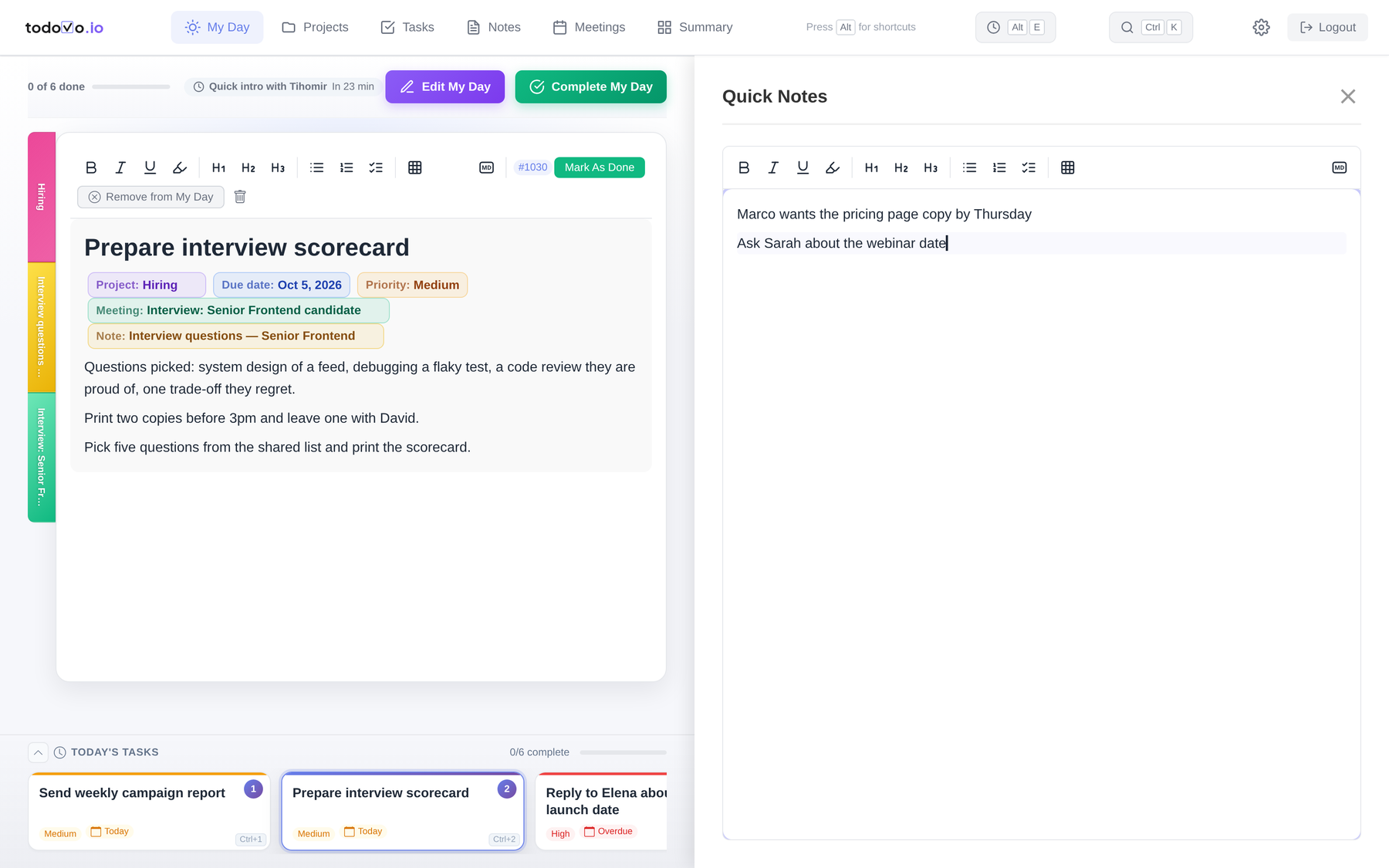
Built for power users, but you don't have to memorize a pile of shortcuts to feel like one.
Hold Alt and the hints appear right on the screen. Alt+E brings back what you touched last. Ctrl+K finds anything.
On a Mac, Option for Alt and Command for Ctrl.
See it in the tour →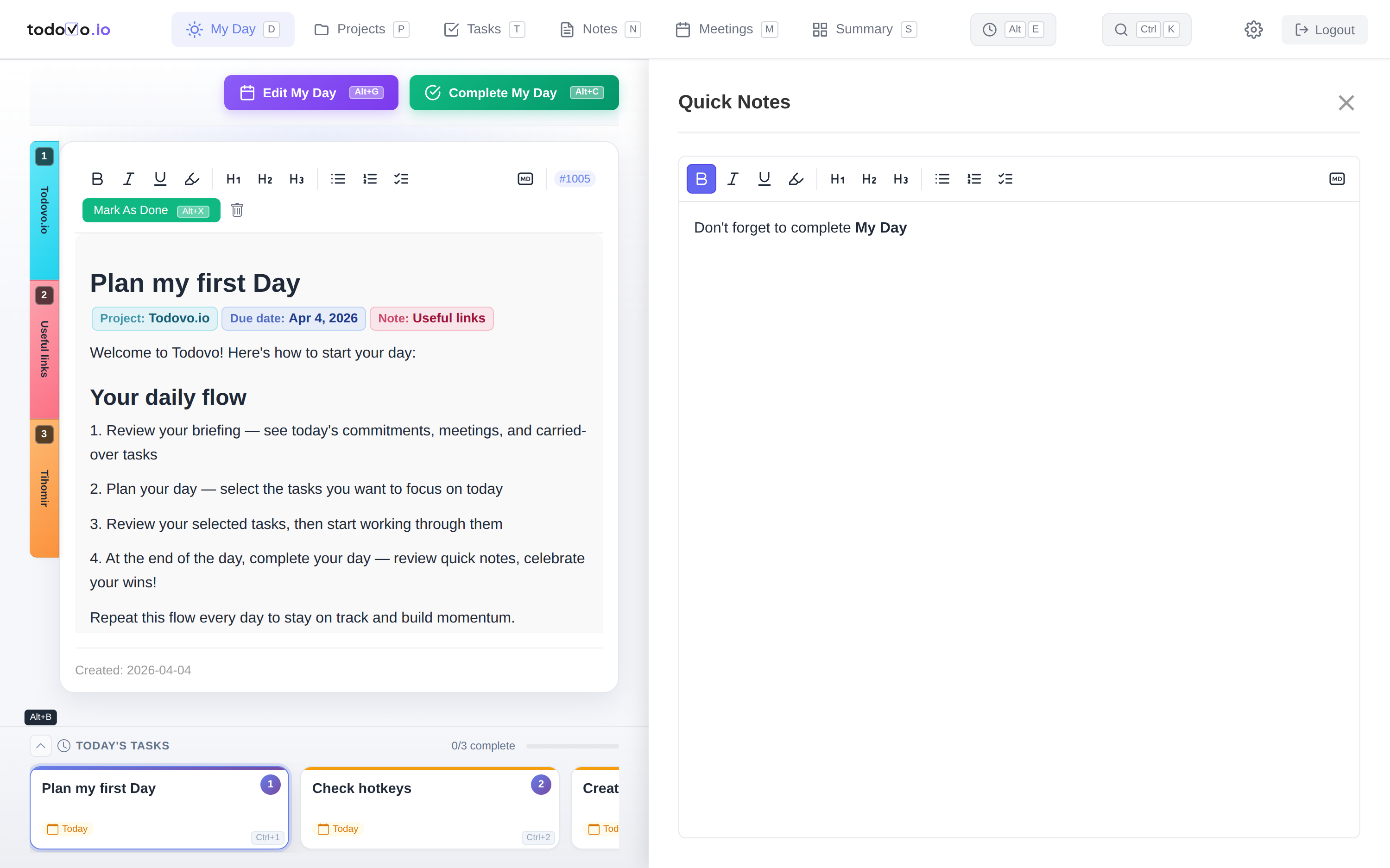
Five minutes in the morning, five in the evening.
The day has a shape, so you never start from an empty list or end with a vague feeling.
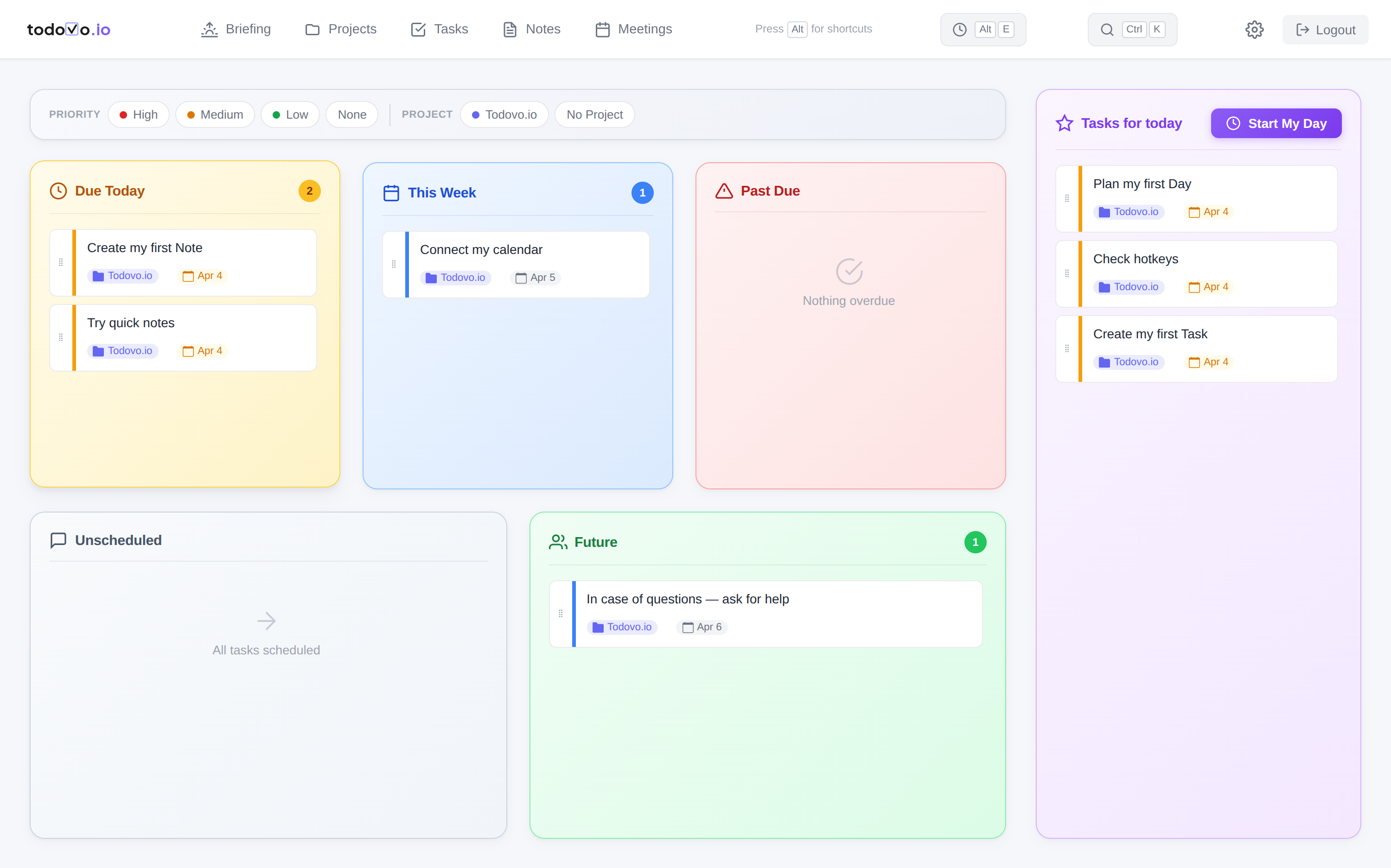
Start the day knowing what's on it
Every day starts on the Briefing: today's meetings, what's due, what slipped, and who you need to talk to. Add prep notes for each meeting, drag the tasks you'll actually do into Tasks for today in the day planner, and press Start My Day. If a task doesn't fit today, drag it to another day and its due date follows. Your meeting notes are ready before the meeting starts.
Those meetings come from your Google Calendar in read-only mode: todovo never writes to your calendar and never shares it with third parties. Learn more in the Privacy Policy.
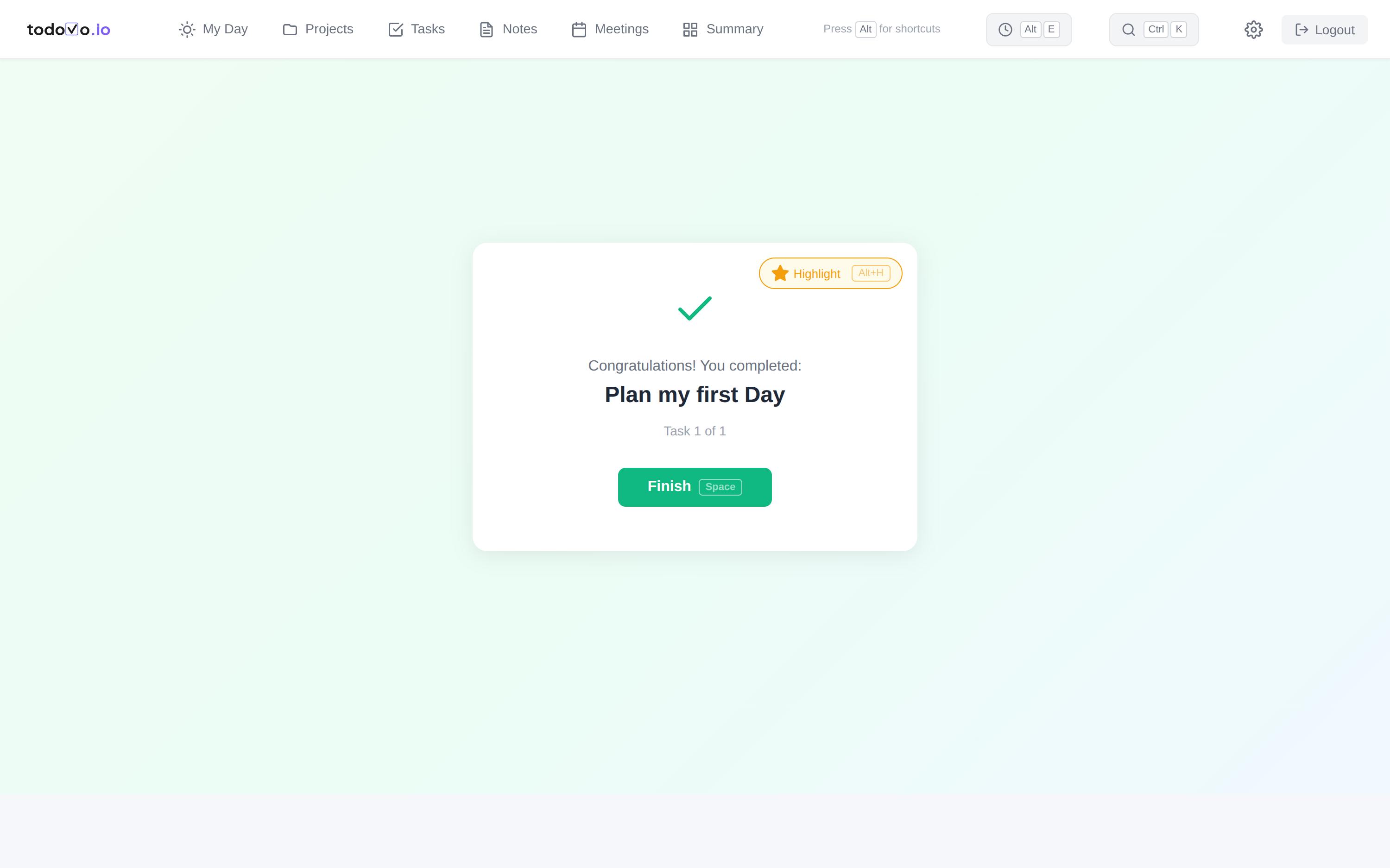
Close the day with your wins in front of you
Before you close the laptop, todovo shows you everything you got done. Review your quick notes, add follow-ups to today's meetings, and star the wins you're proud of: they're waiting in tomorrow's summary and at the top of your weekly review.
Not too simple. Not too complex.
I tried a lot of productivity apps. The simple ones were a glorified checklist. The powerful ones wanted a weekend of setup before they earned their keep. I wanted one that just works on Monday morning. So I built it, and I plan every workday in it.
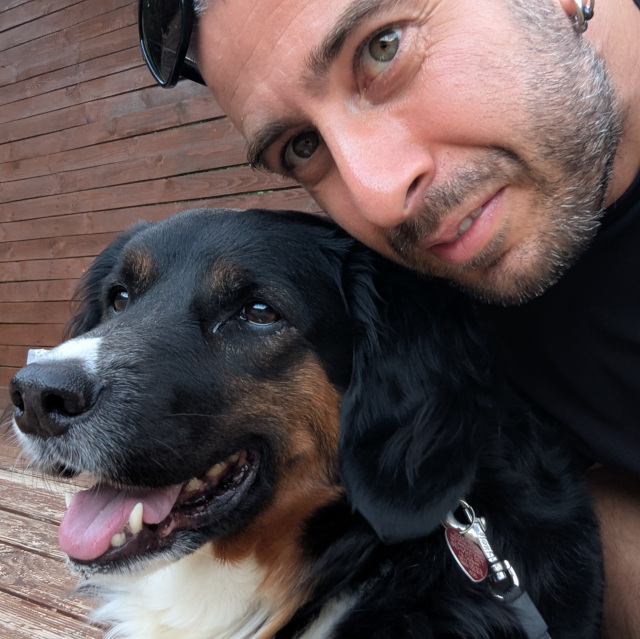
todovo is built for people who care about their work and want to end each day with a clear head. Start your free trial and tell me what you think.
Tonight, you could close the laptop knowing exactly what you did.
Start your 30-day free trial. No credit card, no import, nothing to configure. Start with today's three tasks and add the rest as you go.
Web, iPhone and iPad. One account, in sync.