The Day Planner Freelancers Actually Need
When you're your own boss, no one tells you what to work on today. todovo replaces external structure with daily rituals, keeps your clients cleanly separated, and closes every week with proof of progress.
The freelance focus problem
No external structure
Nobody sends you a morning brief or checks if you started the right thing. Every workday begins as a blank canvas — and blank canvases are deceptively hard to paint on.
Client context switching is brutal
You're a writer for Client A, a strategist for Client B, and doing admin for Client C — sometimes in the same morning. Keeping the context separate in your head is exhausting.
No weekly visibility
Billable hours are up but it's hard to say why the big project is stalling. There's no weekly rhythm to step back, review patterns, and adjust before it's too late.
Reactive days instead of intentional ones
Client emails in at 9am and you spend the rest of the day in response mode. Your own priorities — the things that actually move your business — stay permanently at the bottom of the list.
How todovo gives freelancers their day back
Ritual over willpower. Structure without a manager. Clarity without a calendar full of standups.
Morning ritual: decide before you start
The day planner shows all your tasks categorized by urgency — overdue, due today, this week, future. Spend five minutes dragging the right ones into Tasks for today. Client calls from Google Calendar appear right there; take the notes inside todovo and follow-up tasks stay linked to the conversation that created them. Now you have a brief. No one had to write it for you.
Switch tasks without losing your place
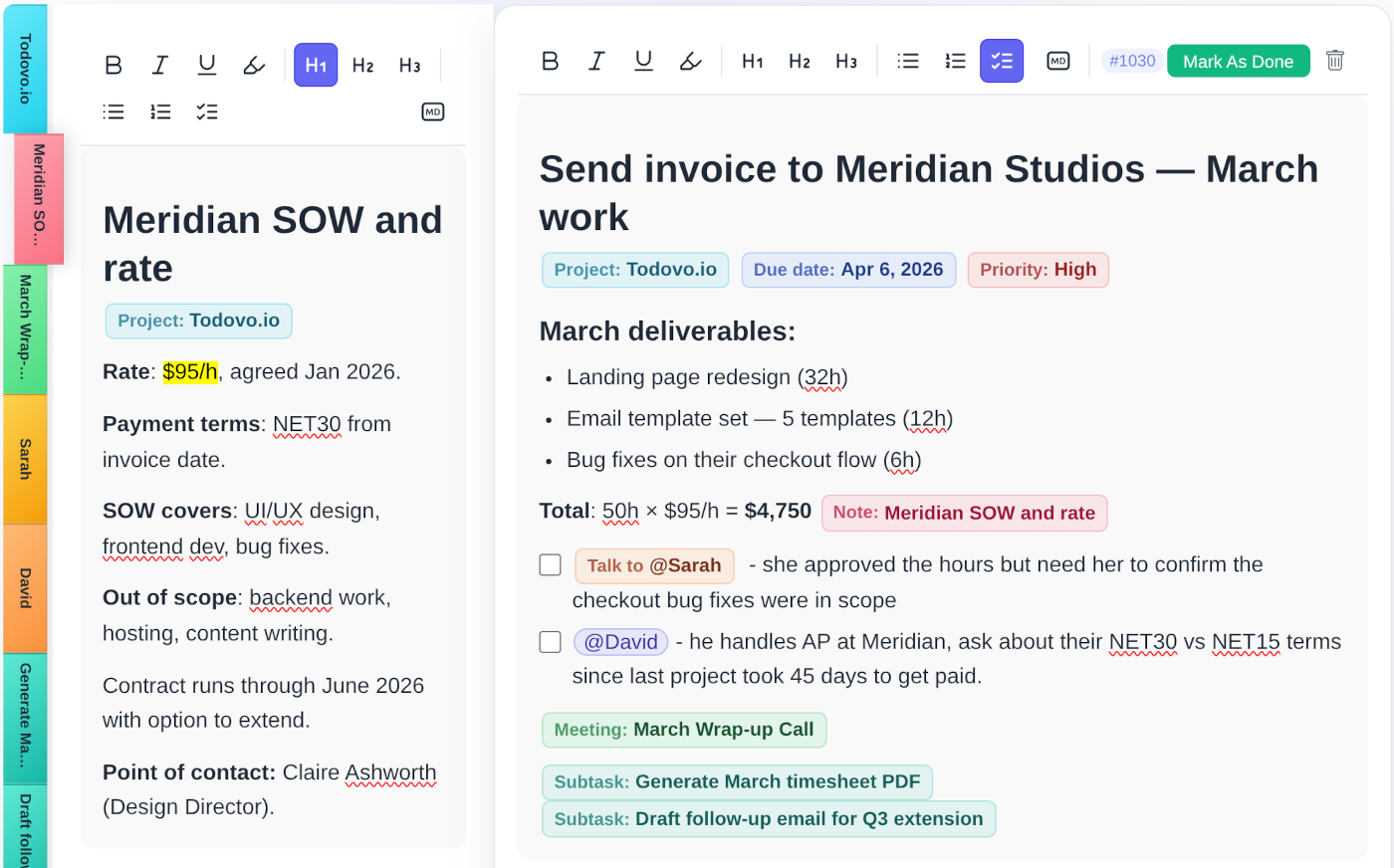
Click a task, or press Ctrl+its number. Each client has its own color-coded project and the badge follows the task everywhere, so you always know whose work is open. Each task is a living document: add notes, write down your progress, and everything saves as you type. When you switch away and come back, your cursor is exactly where you left it. You just keep typing.
Interruptions get a key, not a sticky note
A client calls with a change. Press Alt+Q, type it, and get back to work. At the end of the day you review every quick note and turn it into a task, add it to a note, or let it go. Hold Alt and the hints appear right on the screen. Alt+E brings back what you touched last. Ctrl+K finds anything.
On a Mac, Option for Alt and Command for Ctrl.
Weekly review: your own Friday retrospective
Every Friday, the weekly review surfaces what you completed, which clients got your time, and what's carrying over to next week. The structure a manager would give you — self-generated, on your schedule.
Your whole business in one tab
Tasks, client meetings, notes, and project progress — all connected. No more bouncing between a task app, a calendar, a notes app, and a spreadsheet. todovo is the personal workspace that ties it all together.
- Up to 45 project colors — one per client, at a glance
- Project progress bars to track deliverable status
- Google Calendar sync for client calls and deadlines
- Rich text tasks with attached notes and meeting references
- End-of-day celebration to close each workday properly
People tracking for every contact
@mention a client contact in a task and they get a person page — with every task, note, and meeting you've ever linked to them. Perfect for account management without a CRM.
Quick Notes: capture during calls
Jot rough notes during a client call in Quick Notes. At the end of the day you turn them into tasks or notes, or let them go. Nothing left in a scratchpad to rot.
Calm, distraction-free design
No notification badges, no activity feeds, no social layer. todovo is quiet by design — because the work matters more than the app.
Build the structure your clients won't give you
30-day free trial. No credit card. No feature gates. Cancel any time.