All todovo.io Features
One app for tasks, notes, meetings, and projects, for you and your team. Built around two ideas: switching between tasks should be fast, and everything a task needs should be one click away.
Stay in flow all day
Everyone says to focus on one task at a time. In the real world you get pulled between tasks, and todovo makes switching painless.
Switch tasks without losing your place
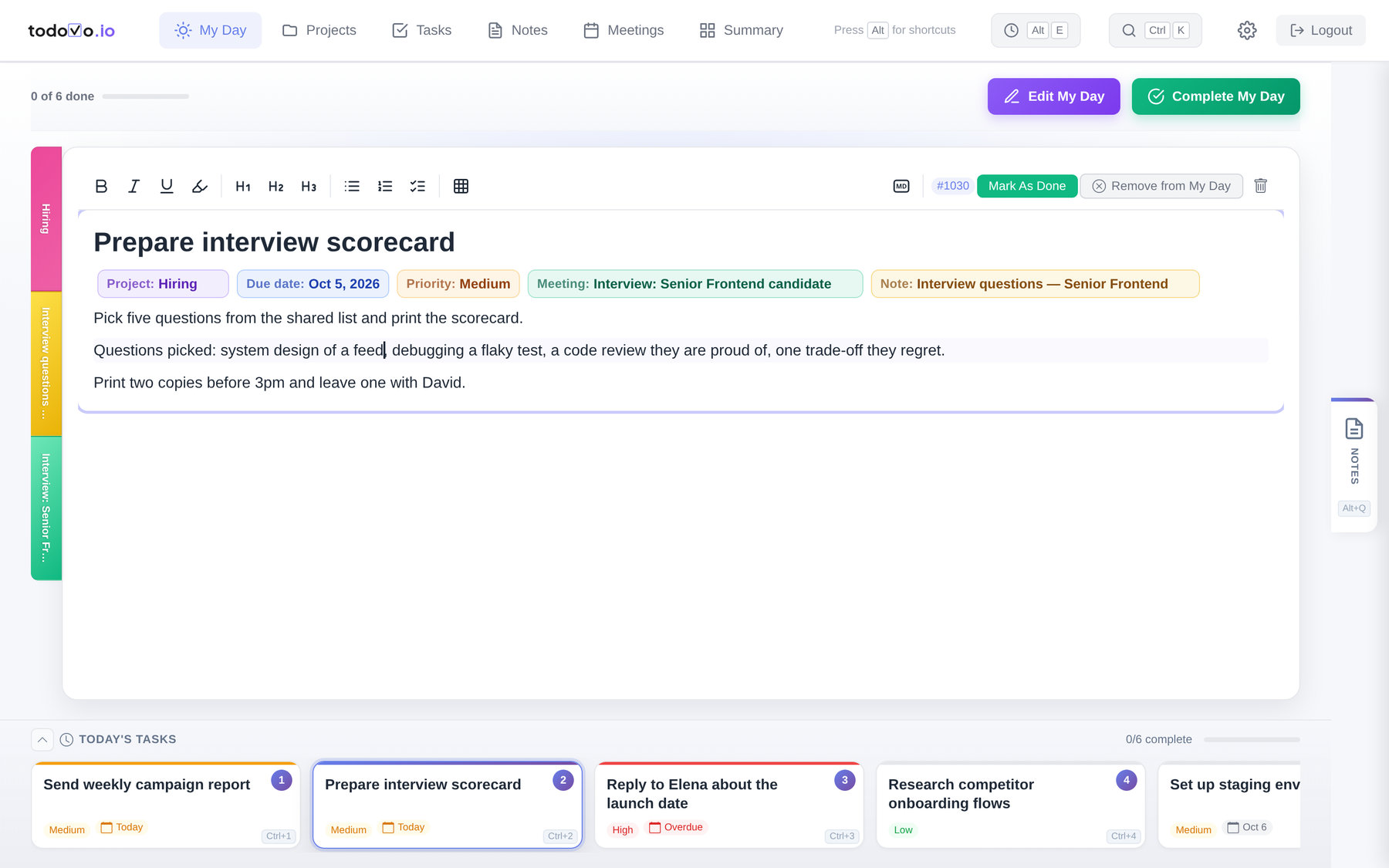
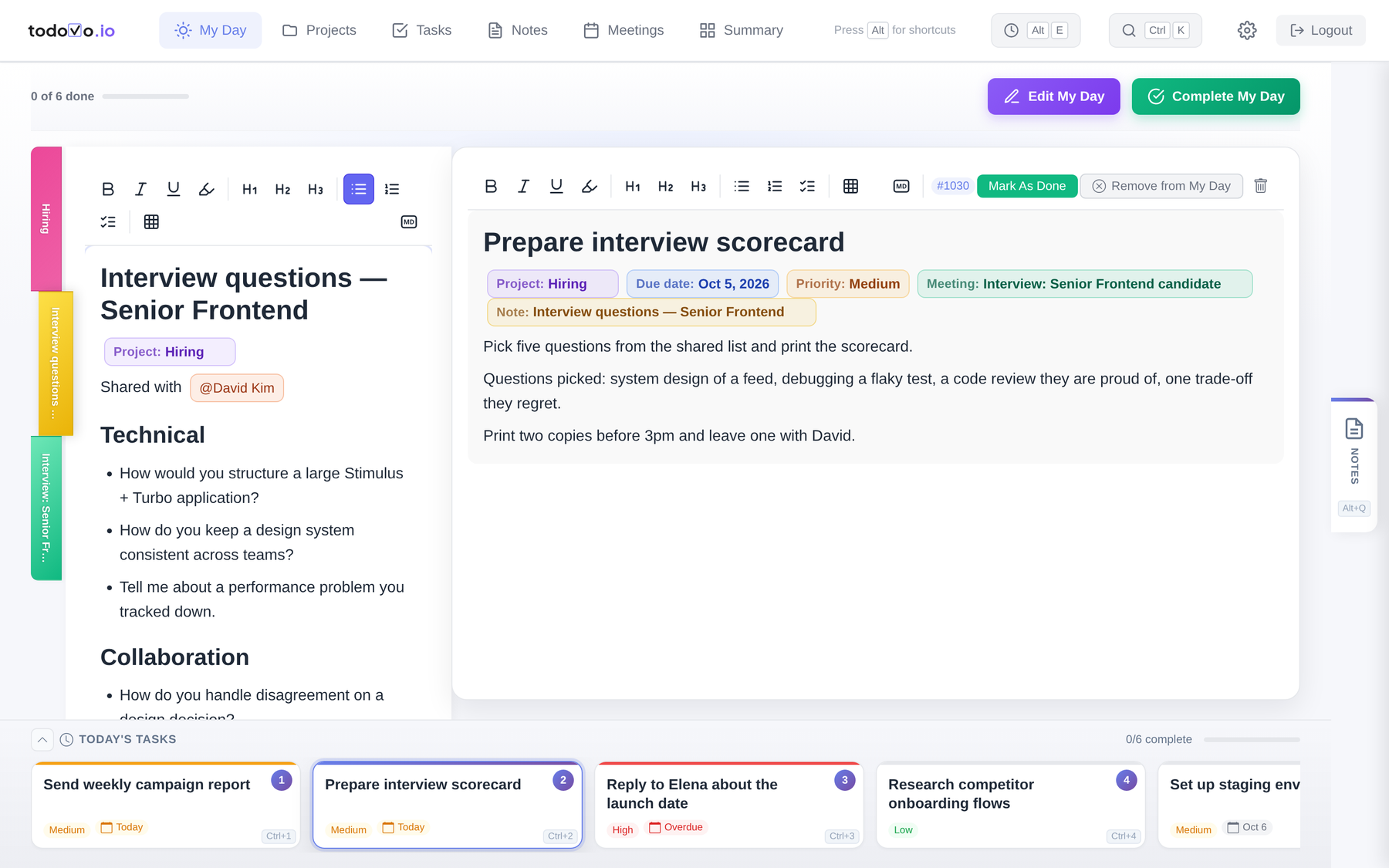
Click a task, or press Ctrl+its number. Each task is a living document: add notes, write down your progress, and everything saves as you type. When you switch away and come back, your cursor is exactly where you left it. You just keep typing.
Interruptions get a key, not a sticky note
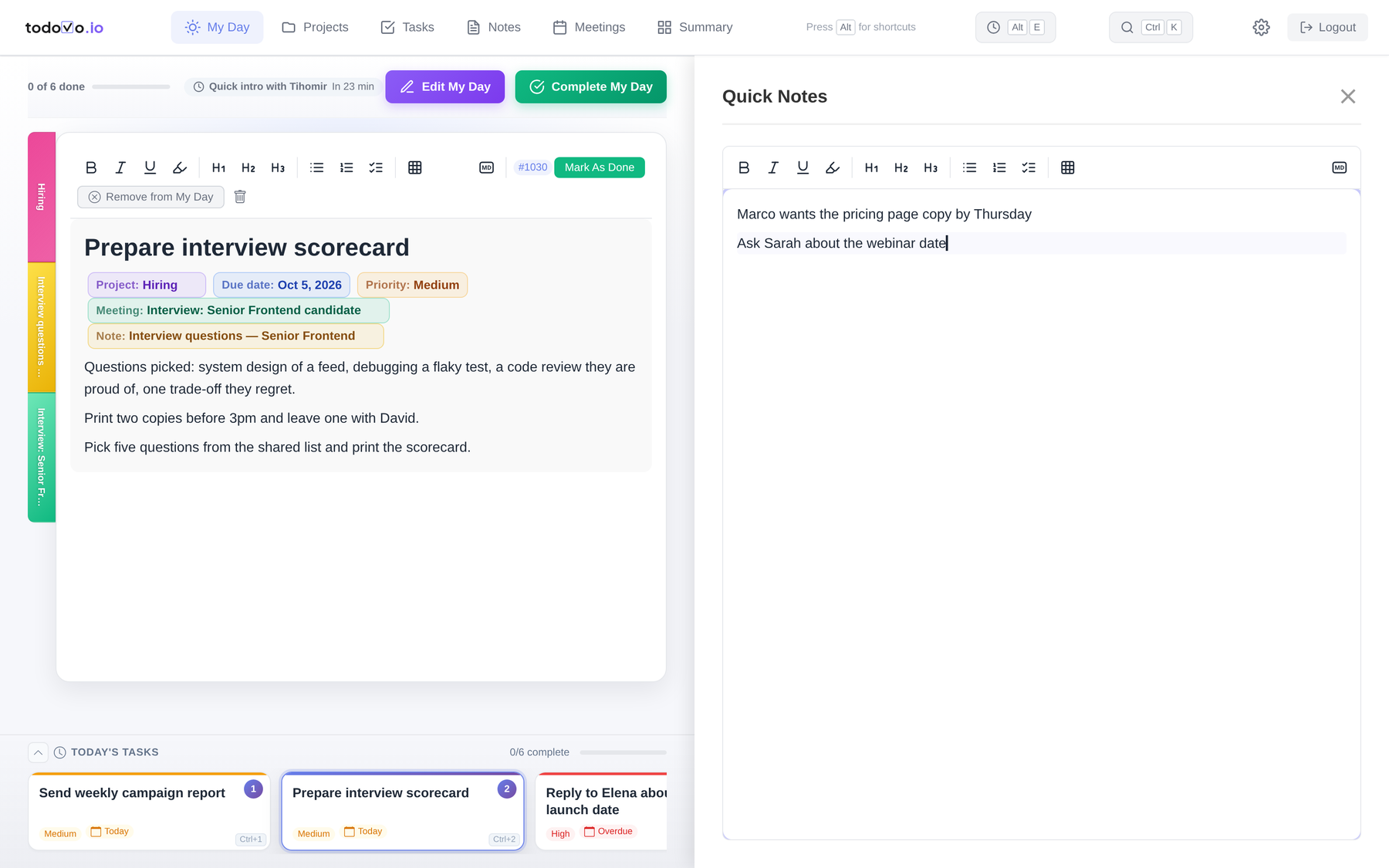
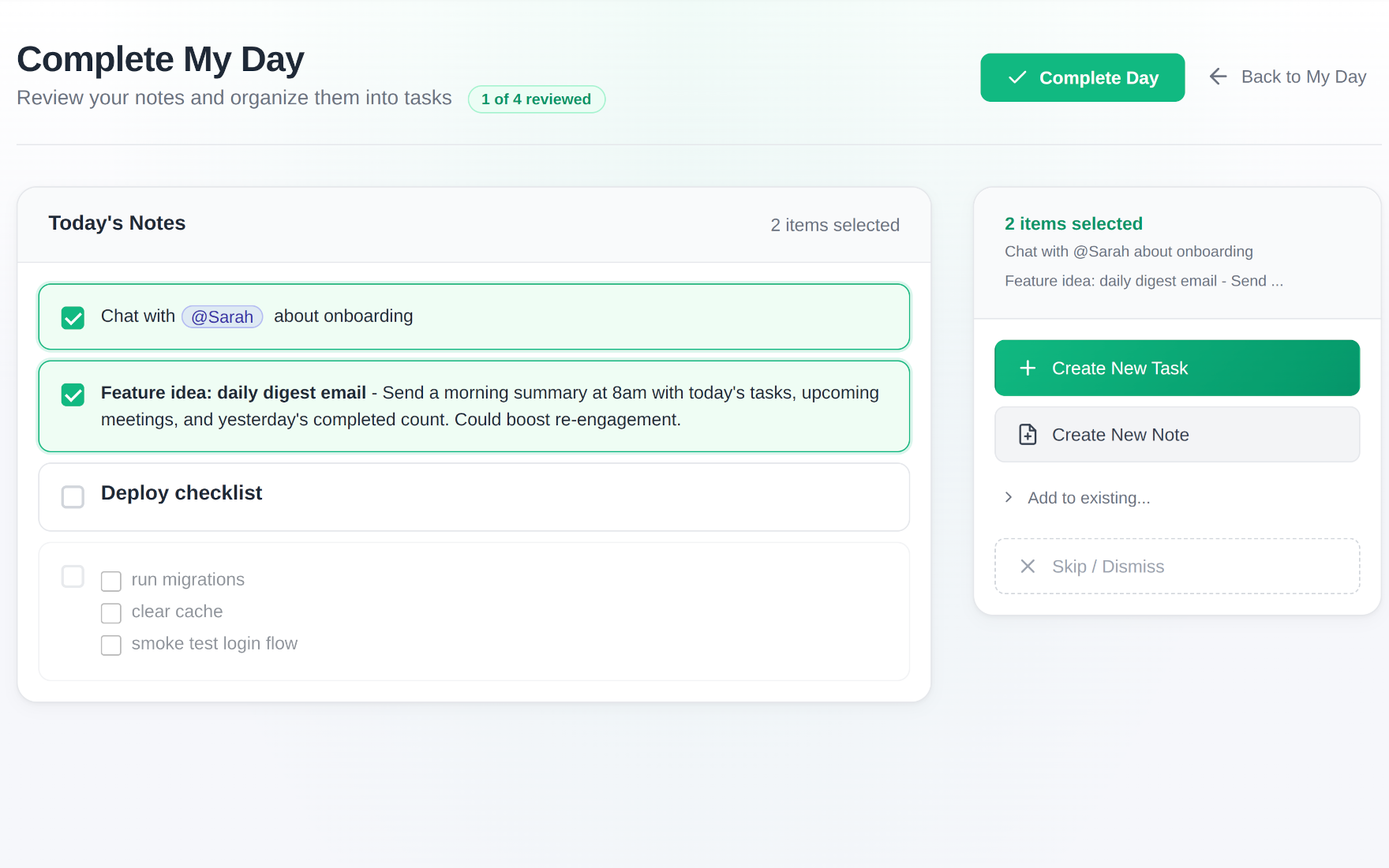
A colleague stops by and tells you something. Press Alt+Q, type it, and get back to work. At the end of the day you review every quick note: turn it into a task or a note, add it to an existing one, or let it go. The cursor position is saved here too.
On a Mac, Option for Alt and Command for Ctrl.
Related items at your fingertips
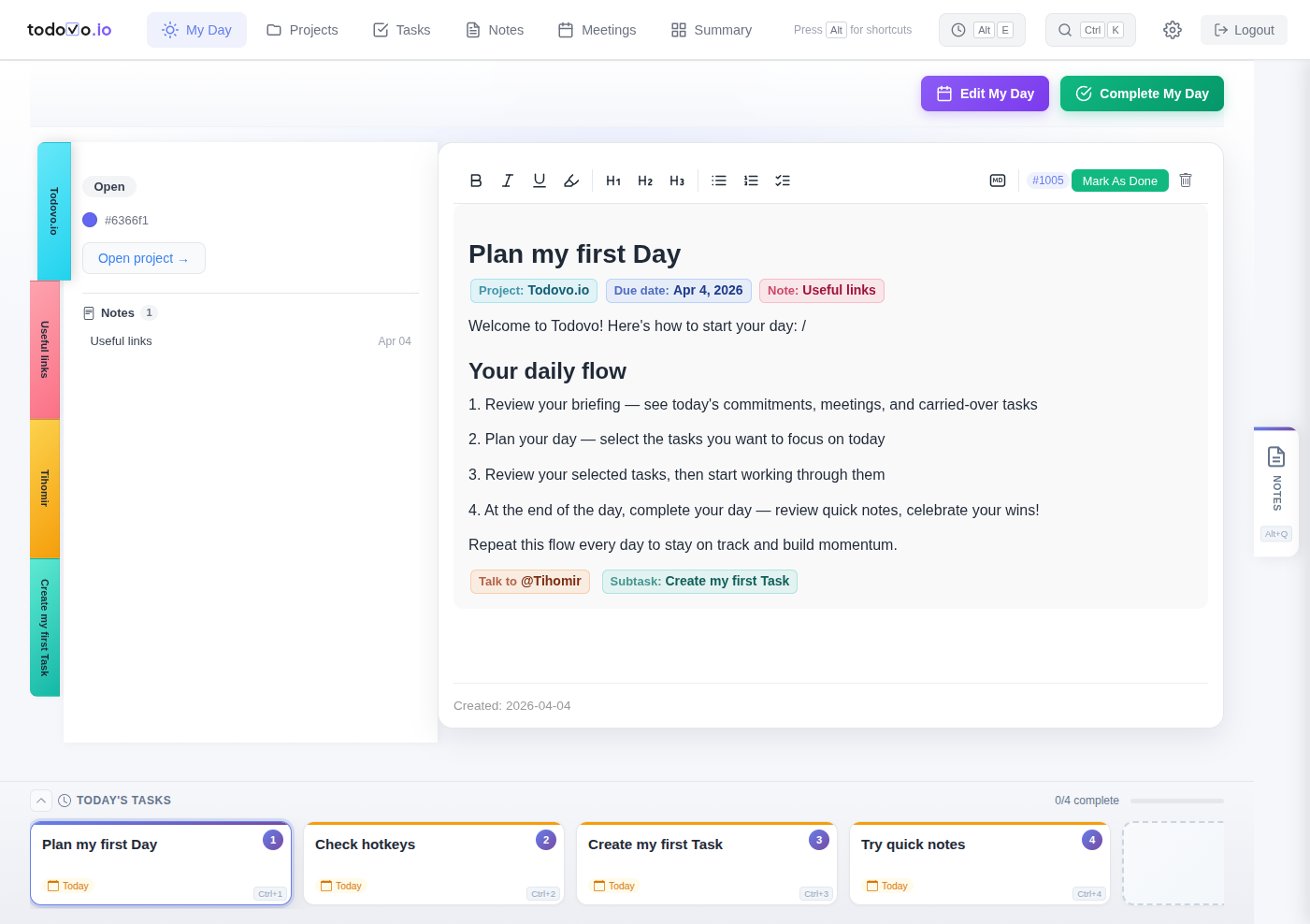
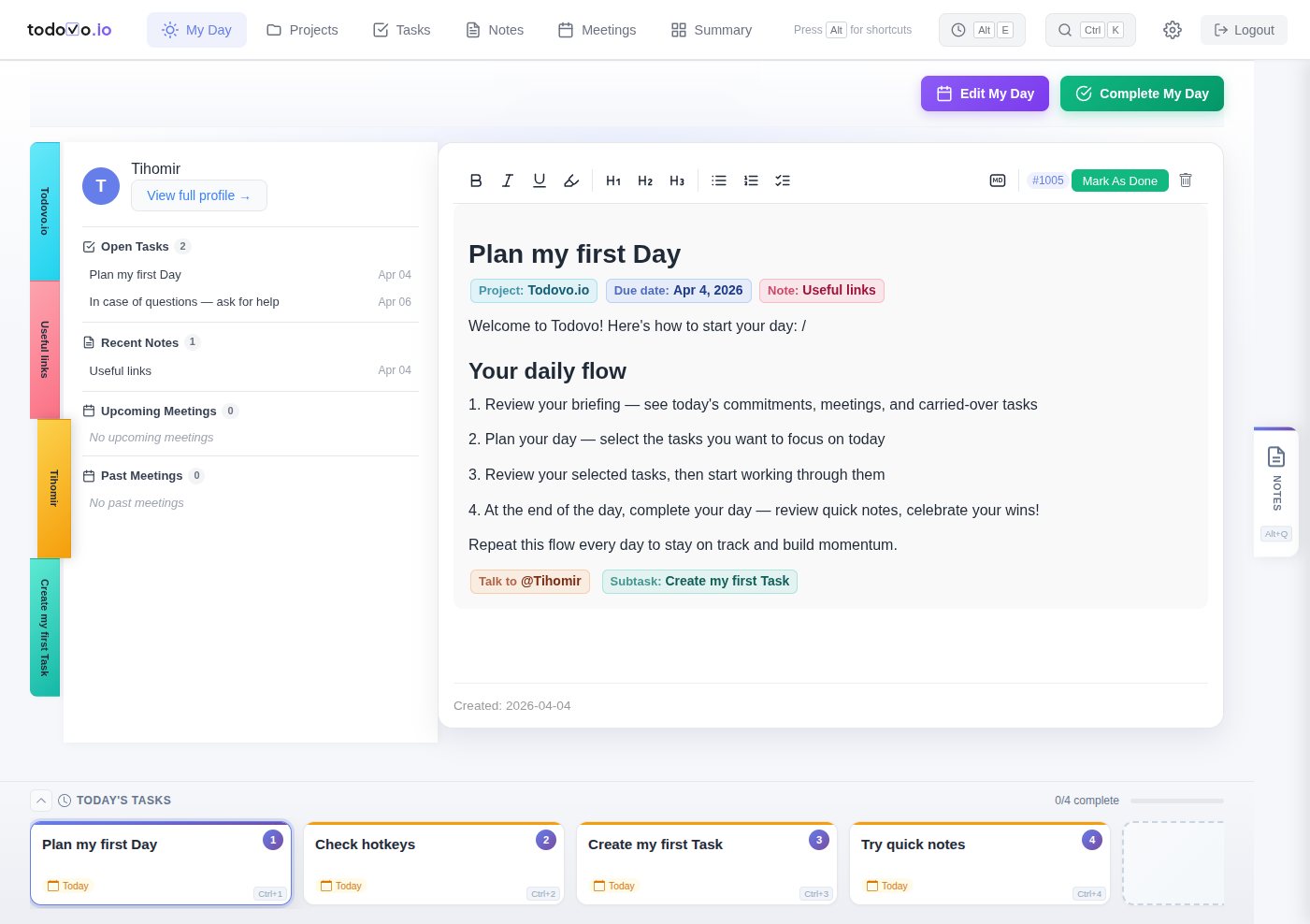
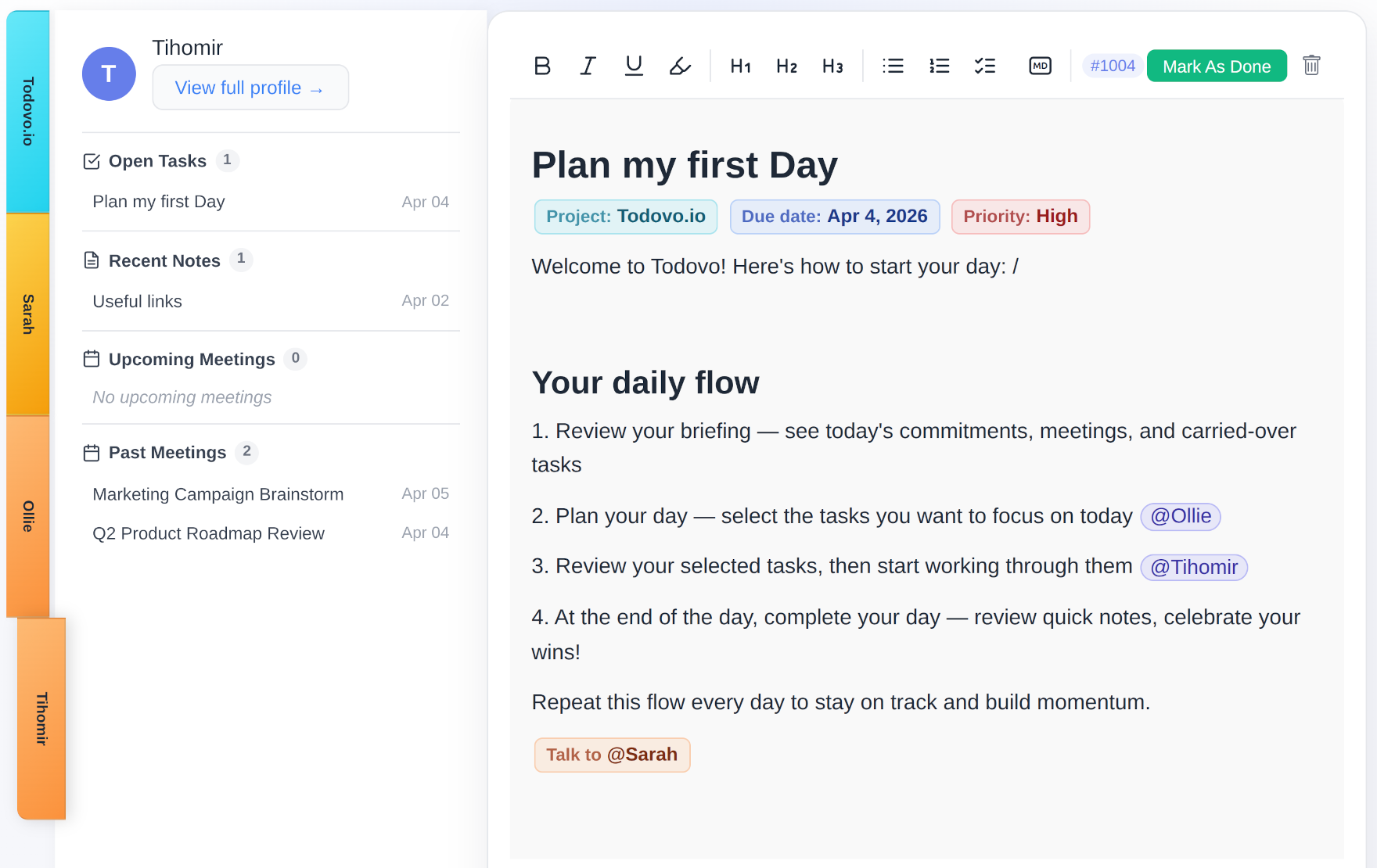
While you're working on a task, everything related to it sits on the left: the project with its other tasks, notes and meetings, and the people mentioned in the task, along with the meetings you have with them and their own tasks. The moment you link a new task, note or person, it shows up there too.
No forms. No dropdowns. Just the editor.
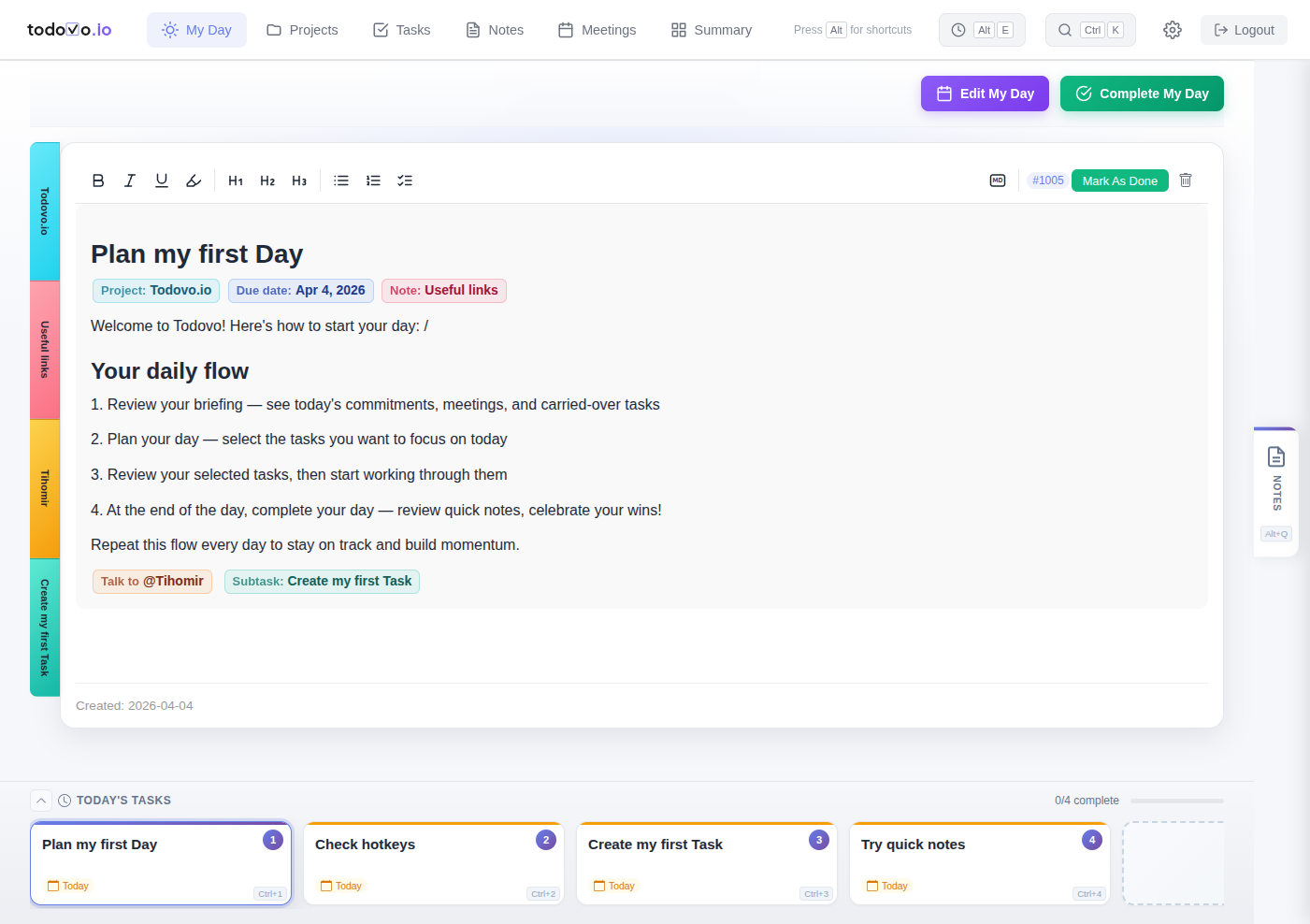
In todovo, type / and everything happens right where you're writing. If something doesn't exist yet, create it on the spot.
Add a project
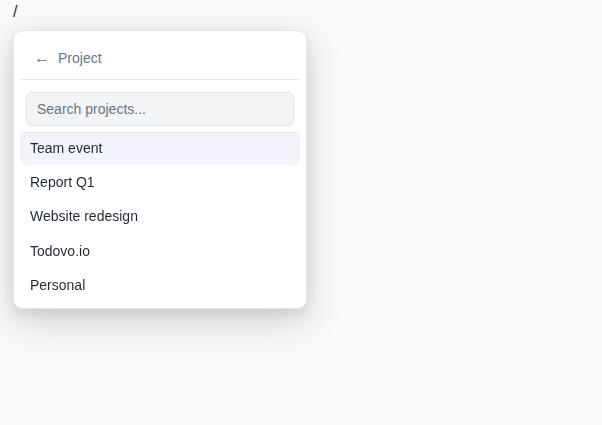
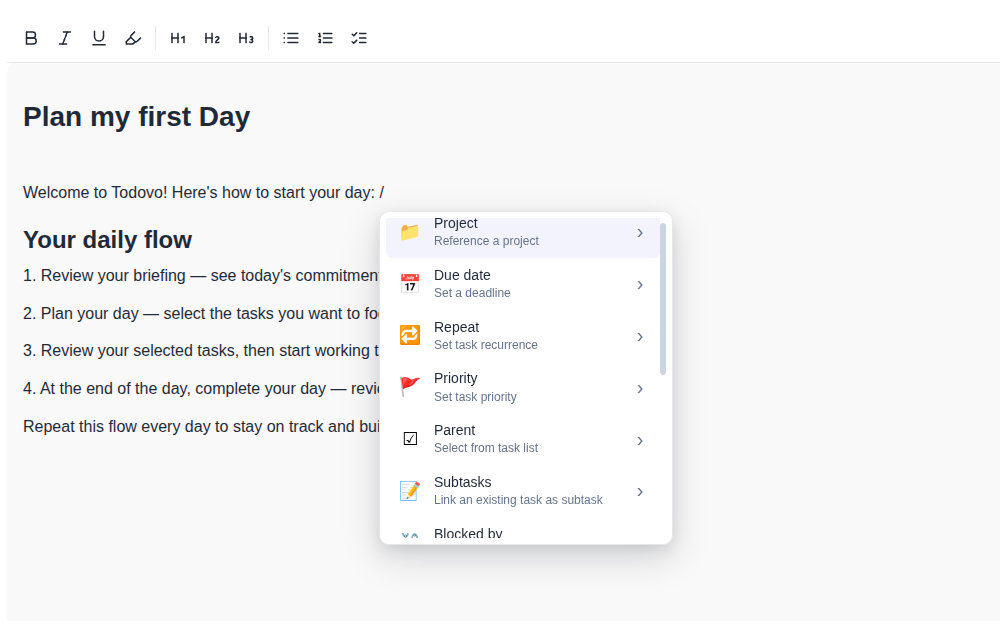
Type /project and pick from your list. The project badge appears inline — no navigation, no settings page. Need a new project? Create it right there without leaving the editor.
Add a subtask
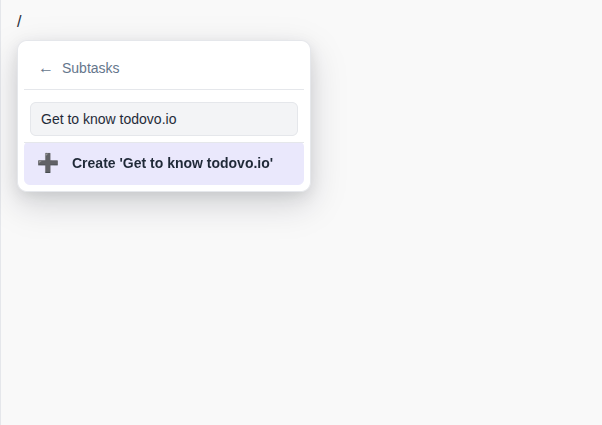
Type /subtask and search for an existing task to link — or create a new one on the spot. The subtask appears as an inline node you can click to open. Parent tasks, blocked-by relationships — same pattern.
Talk to someone
Need to discuss something with a colleague? Type /talkto and tag them. This isn't just a note: it's a reminder that surfaces in your morning plan and in your end-of-day summary, and whenever you open that person's page. You'll never forget to bring it up.
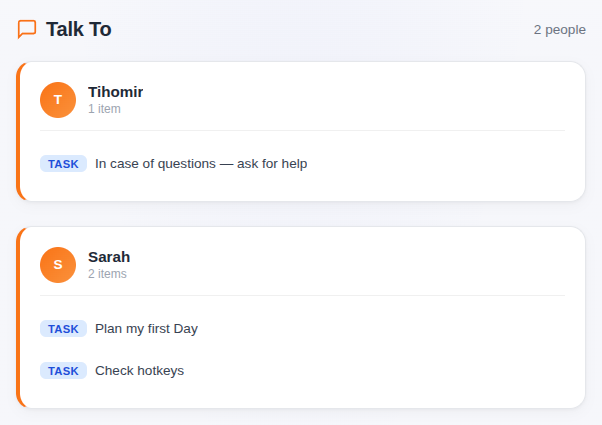
Create anything on the spot
If a task, note, or project doesn't exist yet, you don't need to navigate away. Every slash command submenu has a "Create new" option at the bottom. Create it, link it, and keep typing.
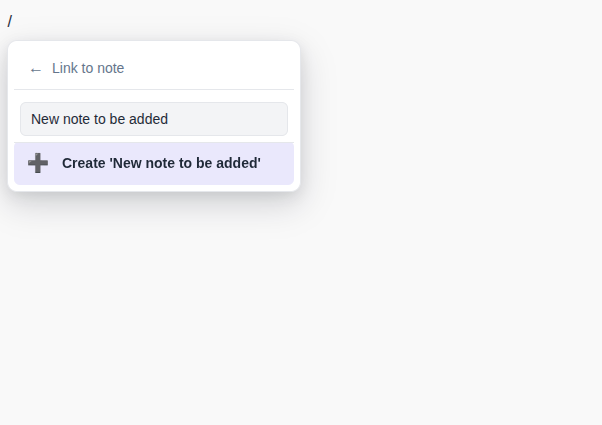
Type / and keep typing
No input fields, no checkboxes to hunt for. Type / anywhere and a menu appears right inside the editor: assign a project, or create a new one on the spot; add subtasks, and they get the same project; mention someone; set a due date, a reminder, a priority, a repeat schedule, and more. Everything a task needs, without leaving the editor.
See all editor features
- Slash command menu with 15+ commands
- Rich formatting: bold, italic, underline, headings, task lists
- Inline nodes: due dates, projects, @mentions, meetings, notes
- Due date picker with quick presets (today, tomorrow, next week)
- Priority levels (High, Medium, Low)
- Subtask and parent task linking
- Blocked-by task relationships
- File uploads (images and PDFs)
- Recurring task setup
- Template insertion
- Everything saves as you type
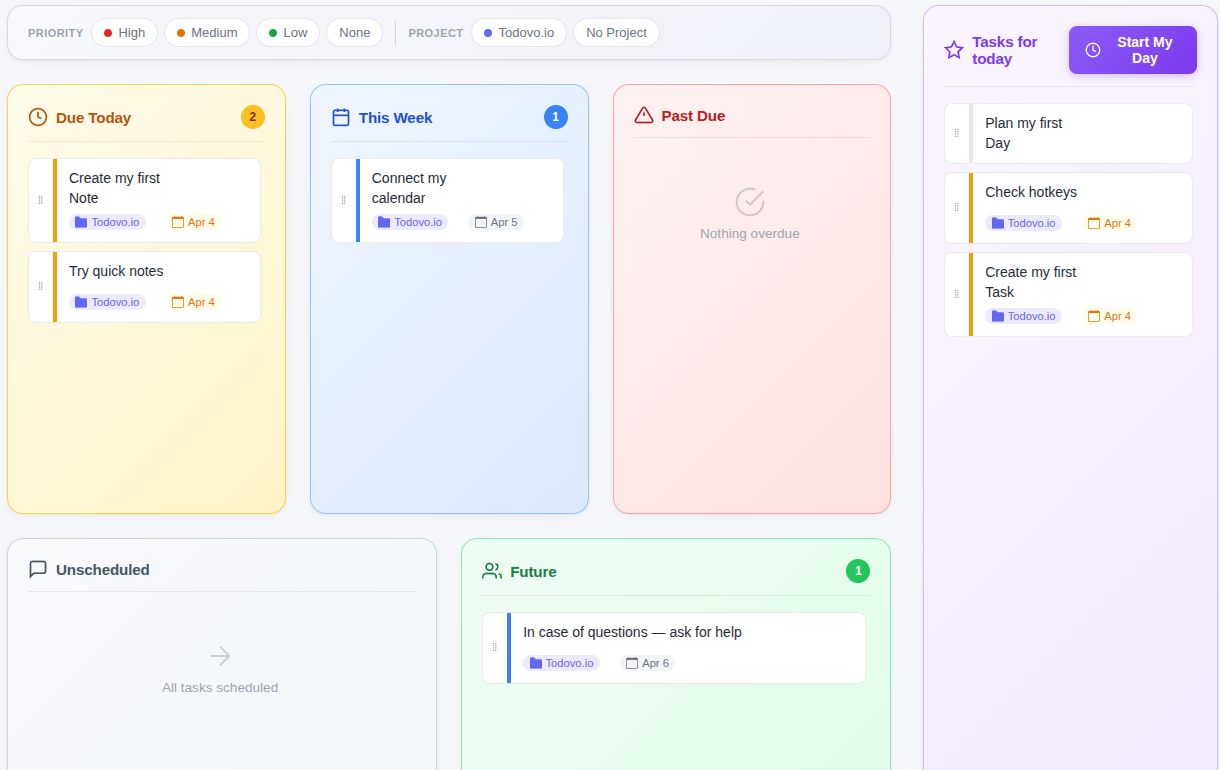
Day Planner
Every day starts on the Briefing: today's meetings, what's due, what slipped, and who you need to talk to. On the planner your tasks are grouped so you can take them in at a glance: due today, this week, past due, unscheduled, and future. Drag the ones you'll actually do into Tasks for today. If a task doesn't fit today, drag it into another box and its due date follows. Then press Start My Day.
See all planner features
- Tasks auto-categorized: Due Today, This Week, Past Due, Unscheduled, Future
- Drag-and-drop tasks into Tasks for today, or click the plus on the card
- Filter by project or priority
- Optional morning task review before starting work
- Meeting review shows today's calendar events
- Reorder tasks within your daily plan
The day has a shape
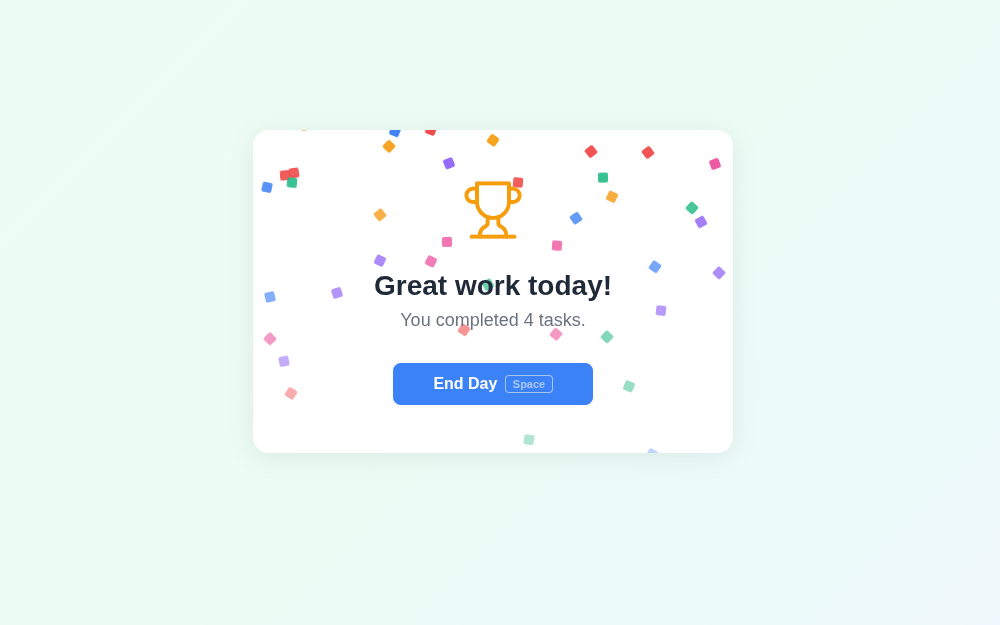
Five minutes in the morning, five in the evening. The morning starts on the Briefing and ends when you press Start My Day. During the day you work through My Day, switching tasks with Ctrl+1, Ctrl+2, Ctrl+3. In the evening you review your quick notes and meetings, star the wins you're proud of, and the Summary wraps it up: what you finished, what you didn't get to, and what's due tomorrow. On Fridays, the weekly review shows how far you've come.
See all ritual features
- Morning: review meetings, plan tasks, set focus
- During the day: work through tasks on My Day, switching between them with Ctrl+1, Ctrl+2, Ctrl+3
- Evening: turn quick notes into tasks or notes, add follow-ups to today's meetings
- Wall of Wins: star the completed tasks you're proud of
- Friday weekly review with highlights and patterns
- Summary page: daily history with grouped accomplishments
On a Mac, Option for Alt and Command for Ctrl.
Google Calendar Sync
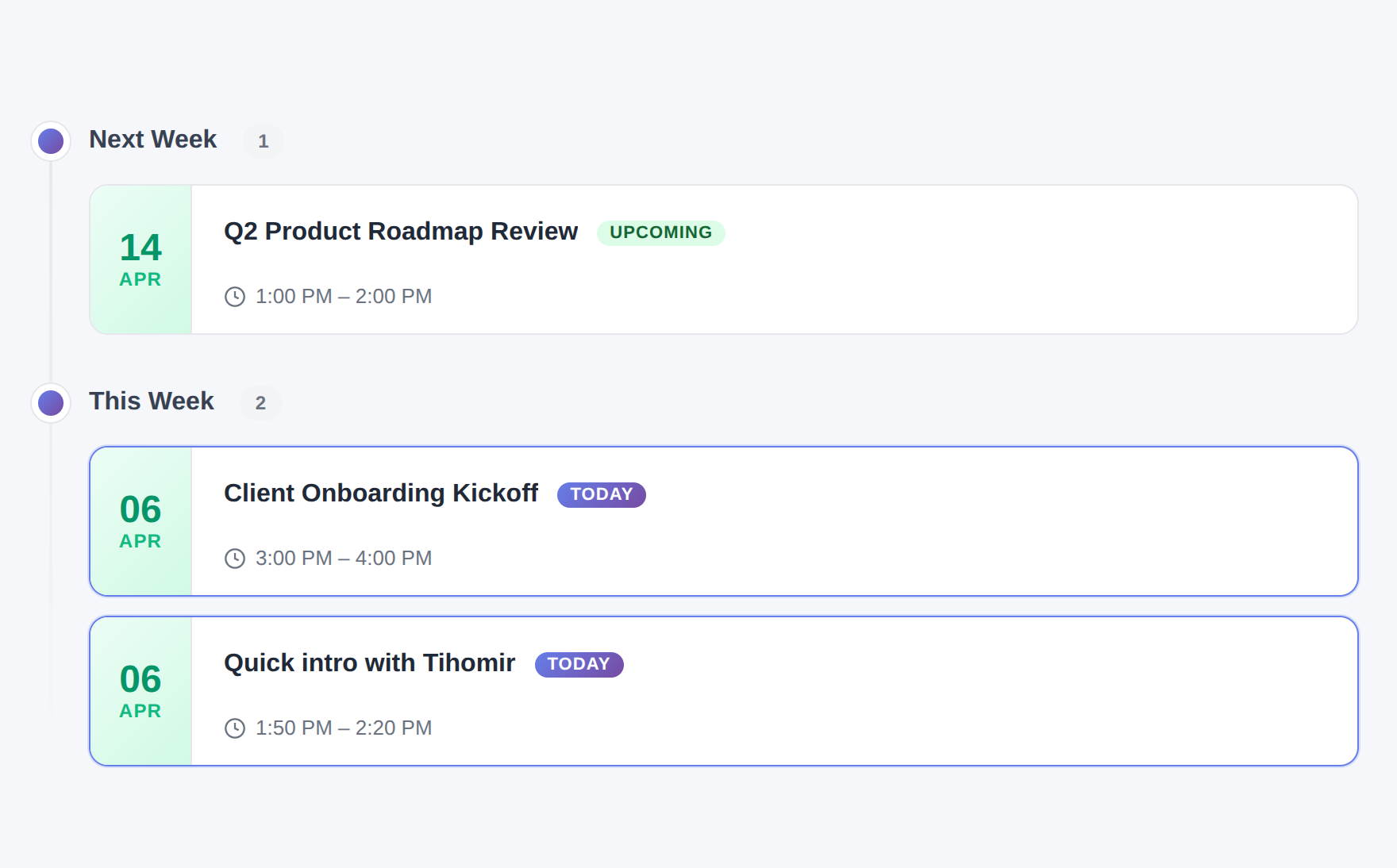
Connect your Google Calendar and today's meetings appear on your Briefing. For each one you see the project, who's involved, and the related notes and tasks. Add a few prep notes right there. When a meeting is coming up, todovo lets you know, so you can take another look at your notes before it starts.
See all calendar features
- One-click Google Calendar OAuth setup
- Meetings appear in your morning planning view
- Add talking points and agendas to each meeting
- Attendees auto-extracted and linked to People
- Meeting notes with rich text editor
- Date-grouped meeting history (Today, This Week, Last Month)
- Manual sync available anytime
Task Management
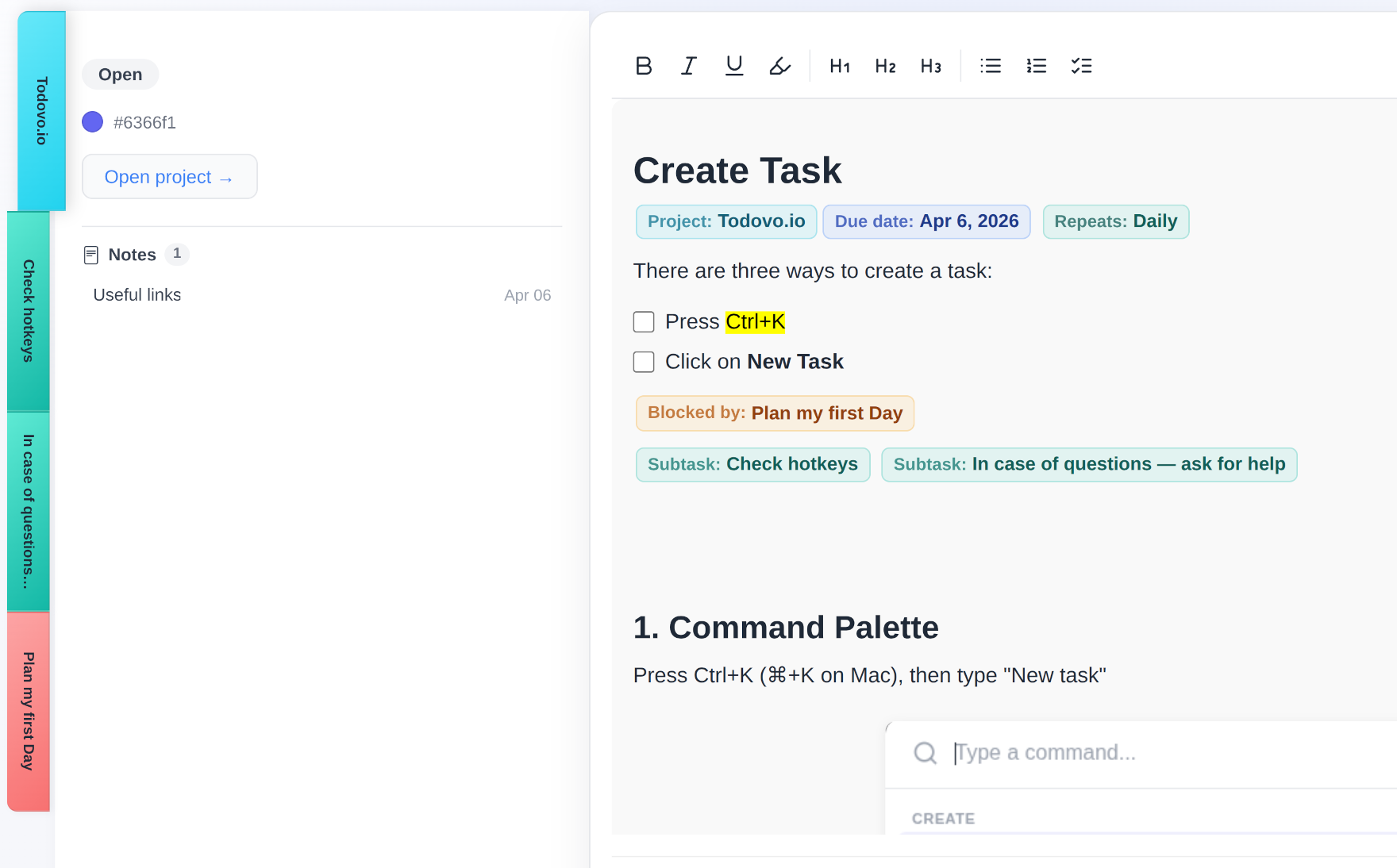
Tasks in todovo aren't flat checkboxes — they're rich documents with context. Link them to projects, add subtasks, set blocked-by dependencies, and see related items all in one place.
See all task features
- Rich text task descriptions with inline nodes
- Due dates with automatic categorization
- Priority levels (High, Medium, Low)
- Subtasks with one-level nesting
- Blocked-by dependencies between tasks
- Project association with color coding
- Account-unique IDs (#1001, #1023) for easy reference
- Related items panel (linked notes, meetings, people)
- My Day: work through tasks with instant switching via Ctrl+1, Ctrl+2, Ctrl+3
- Real-time updates across all open tabs
Projects
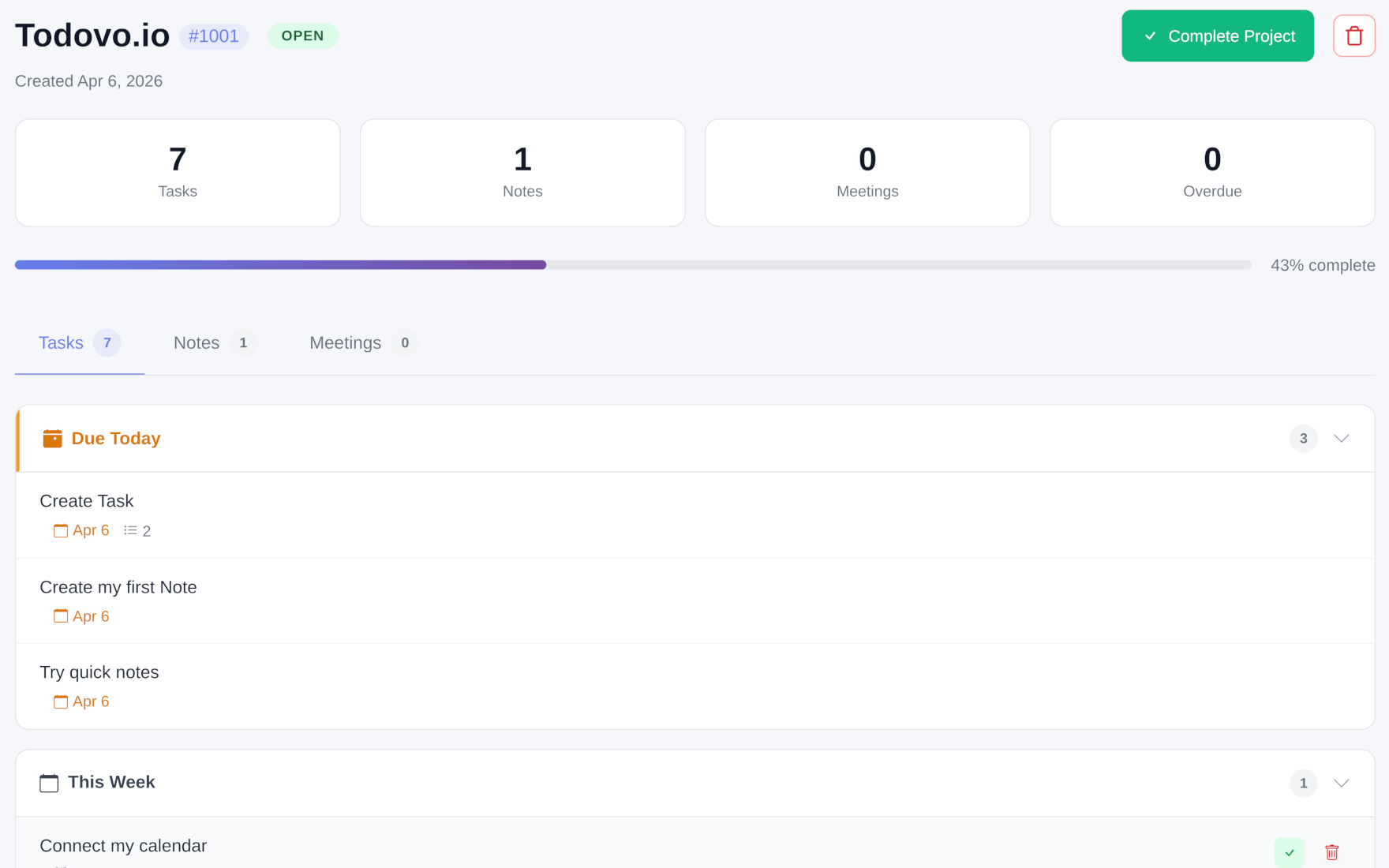
Group tasks, notes, and meetings by project. Each project gets a color, a progress bar, and a bird's-eye view of everything happening inside it.
See all project features
- Color-coded projects (~45 color options)
- Progress tracking with completion percentages
- Tasks, notes, and meetings grouped per project
- Project status (Open / Completed)
- Overdue task highlighting
- Filter day planner by project
Notes & Quick Capture
Need to write something down? Open Quick Notes with one click, or press Alt+Q, without leaving your current task. Jot it down and get back to work. At the end of the day, review your quick notes and turn them into real tasks, add them to existing notes, or let them go. Nothing gets lost. Nothing rots in a scratchpad.
For longer-form notes, use the full notes editor — same rich text, same slash commands, linked to projects and people.
See all notes features
- Quick Notes: capture thoughts without leaving your task (Alt+Q)
- End-of-day processing: turn quick notes into tasks, notes, or meeting items
- Rich text notes with the same editor as tasks
- Project association
- Cross-linking with tasks, meetings, and people
- Gallery / grid view for browsing
On a Mac, Option for Alt and Command for Ctrl.
People & @Mentions
Mention anyone: clients, your manager, family, whether or not they use todovo. Just type their name and todovo creates them on the spot. Each person gets their own page with every task, note, and meeting they're part of, and your people are private, so only you see them. On a team plan, mention teammates and your own people side by side in the same task.
See all people features
- @mention people anywhere in the editor
- "Talk to" tags for follow-up conversations
- Auto-creation from mentions and calendar attendees
- Person detail page with all related entities
- Name editing with automatic content sync
Teams & Shared Workspaces
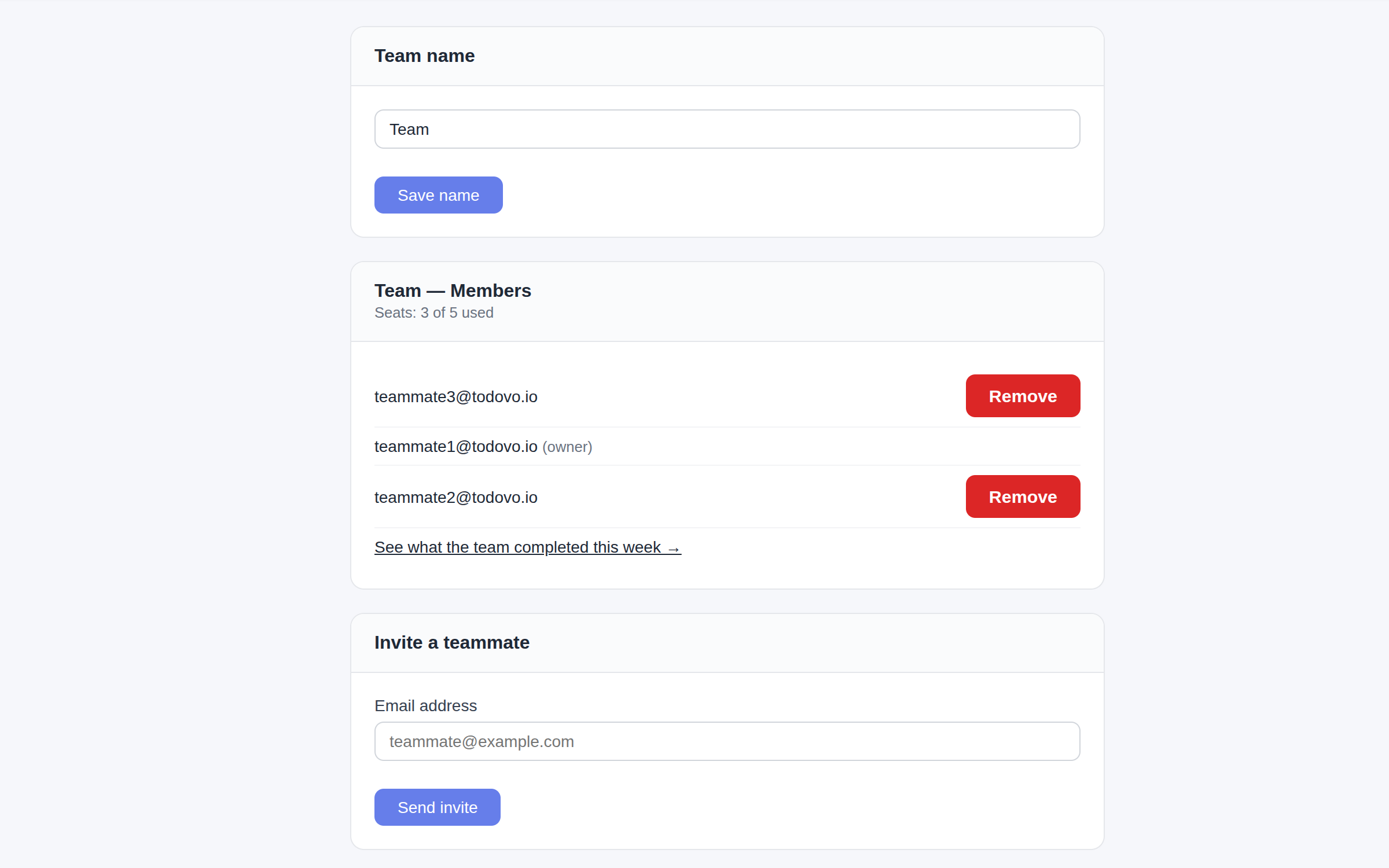
Invite teammates by email and your workspace becomes a shared one. Tasks, notes, projects, and meetings are visible to the whole team — with a per-item Private toggle for the things that are only yours. Type /assign to hand a task to a teammate: it lands in their day planner and leaves yours. Every change syncs to everyone in real time.
See all team features
- Invite teammates by email — links valid for 7 days
- Shared by default, with a Private toggle on every item
- Private projects hide everything inside them
- Calendar-synced meetings start private
- /assign slash command hands tasks to teammates
- Assigned tasks appear in the assignee's planner and briefing
- Real-time updates for everyone — no refresh needed
- One per-seat subscription — the owner manages seats and members
- Keep a personal workspace alongside your team's
And More
Shortcuts You Don't Memorize
Hold Alt and the hints appear right on the screen. Alt+E brings back what you touched last. Ctrl+K opens the command palette: search, create, and navigate anywhere.
Real-Time Sync
Changes update instantly across all open tabs — and for every teammate in a shared workspace. No refresh needed.
Personal + Team Workspaces
Keep a personal workspace next to your team's and switch instantly. Each has its own tasks, projects, notes, and people.
Quick Reference IDs
Every item gets a short number like #1023. Type it in the command palette to jump there instantly.
File Uploads
Attach images and PDFs directly in the editor. Keep reference materials right next to your tasks.
Works Everywhere
Web, iPhone and iPad, one account in sync. Everything saves as you type.
On a Mac, Option for Alt and Command for Ctrl.
Every feature included from day one
30-day free trial. No credit card. No feature gates.