The Day Planner That Understands a Teacher's Day
Lesson prep, grading, parent emails, and admin meetings — all before lunch. todovo gives teachers a morning ritual to plan around their fixed schedule, people tracking for student and parent follow-ups, and a weekly review to reflect on what actually happened.
The teacher productivity problem
Everything is urgent, all at once
Lesson prep, grading, parent emails, and admin meetings all land on the same day. There's no triage system — just a pile of things that all feel like they should have been done yesterday.
Tightly scheduled but never finished
Every period is accounted for yet the to-do list never shrinks. The day is structured around the bell — but the work that happens outside the classroom has no structure at all.
Follow-ups fall through the cracks
You said you'd follow up with a student about a missed assignment, or call back a parent about a concern. Two weeks later it surfaces — awkwardly — because there was nowhere to capture it in the first place.
No time to reflect — just survive
Friday arrives and you go straight into the weekend without any sense of what went well, what to change, or what needs attention on Monday. The same problems repeat term after term.
How todovo helps teachers run their day
A morning ritual that fits around the bell. People tracking for follow-ups. A weekly review that takes five minutes and saves the next week.
Morning ritual: plan the day around your fixed schedule
The day planner shows all your tasks by urgency — overdue, due today, this week, future. Spend five minutes before first period dragging the right tasks into Tasks for today. Your prep periods and free blocks now have a clear agenda before the day begins.
Switch tasks without losing your place
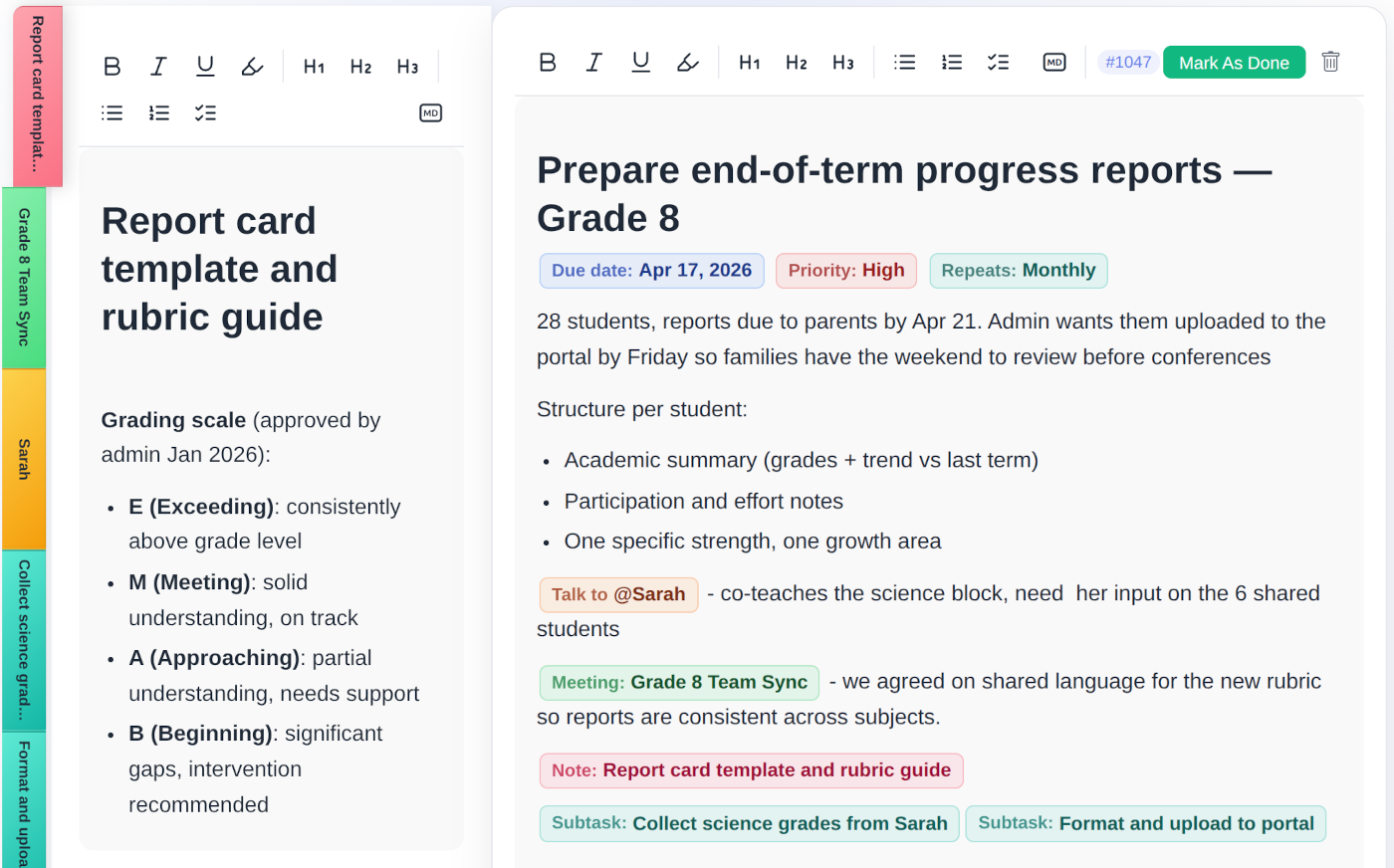
Between classes, click a task, or press Ctrl+its number. Each task is a living document: add notes, write down your progress, and everything saves as you type. When you switch away and come back, your cursor is exactly where you left it. You just keep typing. Mention a student or parent in the task and their person page collects every follow-up, note, and meeting.
Interruptions get a key, not a sticky note
A student catches you in the hallway. Press Alt+Q, type it, and get back to work. At the end of the day you review every quick note and turn it into a task, add it to a note, or let it go. Hold Alt and the hints appear right on the screen. Alt+E brings back what you touched last. Ctrl+K finds anything.
On a Mac, Option for Alt and Command for Ctrl.
Weekly review: reflect on the week, not just survive it
The weekly review surfaces what you completed, which subjects or admin areas got your time, and what's carrying into next week. Five minutes of structured reflection means Monday starts with a plan instead of a panic.
Organized by subject, connected by people
Create a project per class or subject — Year 9 English, Year 11 Maths, Admin, CPD. Tasks carry that color badge everywhere, so at a glance you can see where your time is going and which subject is eating your planning hours. People tracking keeps every student and parent follow-up in one place.
- Color-coded projects per class or subject — up to 45 colors
- People pages for students and parents with linked tasks and notes
- Meeting notes for admin meetings, parent evenings, and staff briefings
- Quick Notes for quick capture between classes
- End-of-day summary to close the school day properly
Projects per class or subject
Give each class or subject its own color-coded project. Lesson prep, assessments, and admin tasks sit in the right bucket — and project progress bars show you how close you are to clearing the backlog before the end of term.
Parent and student follow-up tracking
@mention a student or parent in any task or note and they get a person page. Every conversation, follow-up action, and linked meeting lives there. Parent evening becomes a one-click review instead of a mad scramble through emails.
Meeting notes for every admin meeting
Log admin meetings, department briefings, and parent calls inside todovo. Link action points directly to tasks so nothing from a meeting ever stays in a notebook that never gets re-opened.
Give your school day the structure it deserves
30-day free trial. No credit card. No feature gates. Cancel any time.